AI Automation Workflow: The Architecture That Actually Works
What an AI Automation Workflow Actually Is
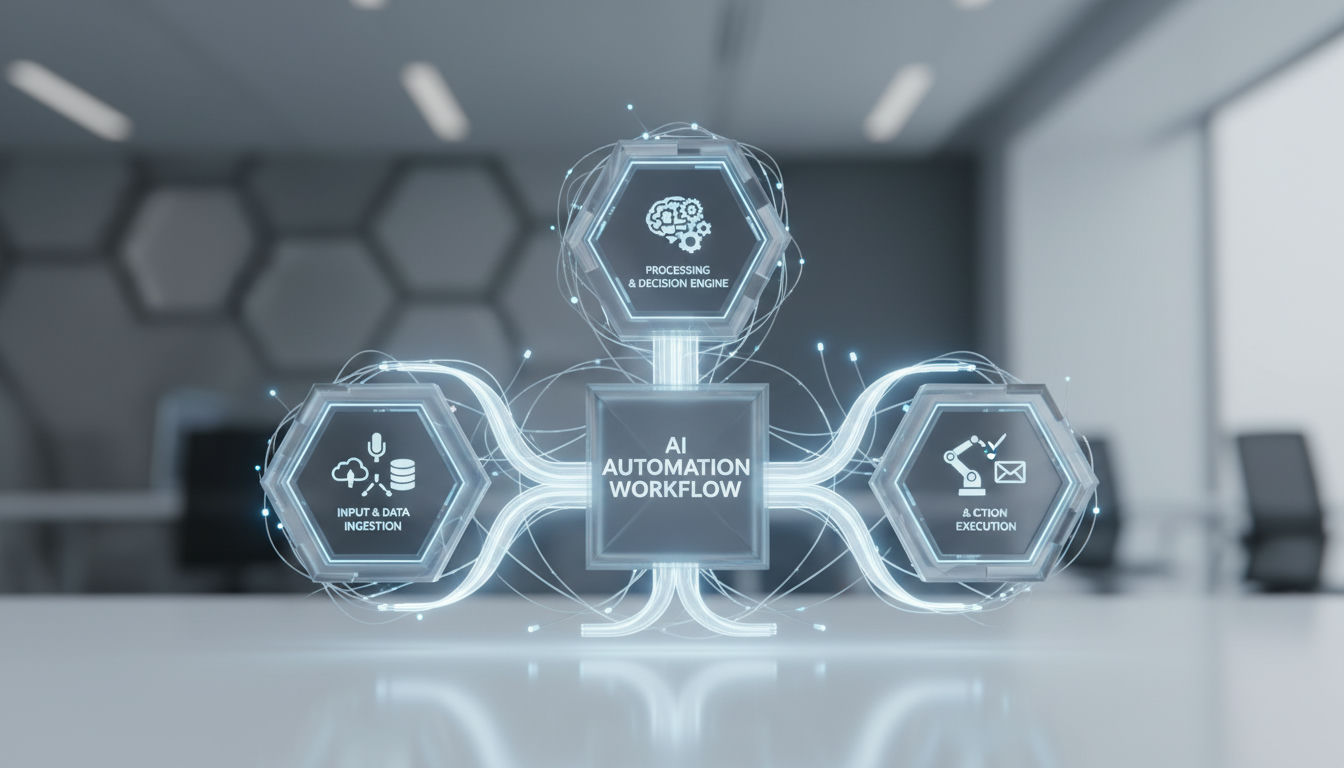
An AI automation workflow is a system that combines a trigger, an AI reasoning step that interprets unstructured input or makes a judgment call, an integration/action layer that does something in your other tools, and human review checkpoints that keep people in control of the outcome. This differs from a traditional automation with a chatbot bolted on: the AI step is doing real interpretive work, not following a fixed script.
The trigger watches for something to happen, like a form submission, a new file, or a schedule. The AI step is where you give AI a well-defined job: read the file, classify the request, extract the fields, decide the next path. The integration step then acts on that decision. It creates a record, updates a CRM, or drafts a post. The checkpoint is where a person approves, corrects, or escalates before anything irreversible happens.
Older RPA or basic automation only runs fixed rules: if this, then that. It breaks when the input isn't structured or needs judgment. An AI step handles the messy middle, while rules and human review keep the edges predictable.
That definition raises an immediate design question: which steps in the pipeline should actually be handed to an AI agent, and which should stay deterministic?
AI Agents vs. Rules-Based Steps: Where Each Belongs
AI agents and rules-based steps solve opposite problems in an AI automation workflow, and the most common mistake is asking an LLM to do work that has one correct answer. A rule checks a field; an agent interprets meaning. When you swap them, you get higher cost, slower execution, and non-deterministic failures.
Knowing which steps need judgment versus fixed logic is only useful if the workflow also knows when to pause and ask a human, but this first decision determines whether the pipeline is reliable enough to trust at all.
When to use deterministic rules
Default to rules when the input is structured and the outcome is verifiable:
- Structured signals: IDs, dates, statuses, enum values, or API responses with a schema
- Binary outcomes: if/then branching, regex validation, threshold checks, exact-match lookups
- Compliance-critical logic: pricing calculations, permission checks, deduplication, or any step where auditing demands the same input always produces the same output
These steps belong in fixed nodes like If, Switch, Code, or HTTP Request. They are cheap, testable, and fail loudly.
When to use an AI agent
Reserve AI for steps where format varies or judgment is required:
- Ambiguous language: classifying intent in emails, extracting topics from free text
- Variable formats: parsing invoices, resumes, or customer messages that never arrive the same way twice
- Open-ended synthesis: summarizing, drafting, or choosing among tools to reach a goal
The architecture split is explicit in the tools themselves. In n8n, the AI Agent node builds an agent that decides which tools to call when you connect a chat model and tools, while regular nodes execute a predetermined path. LangGraph frames it the same way: workflows have predetermined code paths and are designed to operate in a certain order, while agents are dynamic and define their own processes and tool usage.
Default to rules for anything with a correct/incorrect answer; reserve AI agents for steps that require interpreting ambiguity.
Give AI a well-defined job: a single input, a clear purpose, and bounded tools. Let rules handle everything else.
Where Human-in-the-Loop Checkpoints Belong in the Pipeline
Human-in-the-loop checkpoints in an AI automation workflow belong before any irreversible action and after any low-confidence AI output, with defined audit gates for compliance-sensitive work. Production teams often start by calibrating separate confidence thresholds for irreversible versus reversible actions, routing anything below those thresholds into an approval queue.

Even well-placed human checkpoints won't save a workflow that has no plan for what happens when a step simply fails, so placement has to be intentional. The three non-negotiable positions are:
- Before irreversible execution: sending an email, publishing content, charging a payment, deleting data, or isolating a system. The workflow pauses, surfaces the proposed action plus its reasoning and context, and waits for approve, modify, or reject.
- After low-confidence scoring: when model confidence falls below a calibrated per-action threshold, output is diverted to a review queue instead of proceeding.
- At compliance audit points: financial research summaries that could trigger decisions, e-learning records that affect enrolment or certification, or any step where policy expects a named human owner. Industry analysis of the NIST IR 8596 draft notes that human oversight is required to maintain regulatory and legal compliance in AI-assisted operations.
Confidence-based routing only works when thresholds are calibrated by action type and paired with a real queue. An approval queue needs a notification channel in Slack or email, a review interface that shows the proposal, reasoning, and enrichment snapshot, and time-bound SLAs. A common production pattern is tiered escalation: standard review for moderate confidence, elevated review with a shorter turnaround for low confidence or high blast radius, and executive escalation on the fastest turnaround for compliance risk. Exact windows vary by team and should be set against your own incident tolerance rather than copied wholesale.
In real publishing and e-learning builds, Hesham Mashhour - AI Content Systems places those gates exactly there: AI-drafted research is reviewed before publishing, and AI-enriched enrolment mappings are checked before lesson delivery, keeping people in control of the irreversible step while the rest runs autonomously. What happens when something breaks matters just as much as whether a human is watching it.
Exception Handling: What Happens When a Step Fails
Exception handling in an AI automation workflow is the control layer that stops a low-confidence AI extraction or a timed-out API call from being written to your CMS at 2 a.m. as if it were correct. Without it, the workflow produces wrong output silently.
Four failure modes need explicit design. First, low-confidence AI outputs: a classifier returns "maybe" or JSON missing a required field. Second, malformed data from upstream tools, like an empty transcript or HTML instead of text. Third, API timeouts, and fourth, rate limits from LLM providers or CRMs. All four should surface as typed exceptions, not as blank values that pass downstream.
For retry logic, separate transient from permanent failures. Transient errors (timeout, 429 rate limit) get bounded retries with backoff. Permanent errors (schema validation failed, auth revoked) should fail fast. In n8n, you implement this with dedicated error workflows that run when an execution fails. You set the handler in Workflow Settings, and the handler itself must start with an Error Trigger. You can also add a Stop And Error node to force a failure when your own check fails, for example when confidence is below threshold, and trigger that same error workflow.
When retries are exhausted, you need an escalation path, not deletion. That is where a dead-letter queue pattern helps. With Cloudflare Queues, a Dead Letter Queue is defined inside the consumer configuration and messages are delivered to the DLQ when they reach the configured retry limit. By default that limit is 3 deliveries, and messages placed on a DLQ without an active consumer persist for 4 days before removal. Without a DLQ configured, messages that hit the limit are deleted permanently, which is exactly the silent data loss you want to avoid.
Make every exception traceable. Log the execution id, last node executed, input payload hash, error message and stack, and the retry count. That log is what lets you replay the failed item, fix the prompt or mapping, and move it out of the DLQ without rebuilding the whole run.
Self-Hosted vs. Cloud-Based: n8n, Zapier, and Make Compared
Self-hosted versus cloud-based AI automation workflow platforms come down to who owns the runtime and the data. n8n lets you self-host the same Community Edition for free on your own infrastructure, while Make and Zapier run only as managed SaaS on hosted infrastructure such as AWS in the EU and North America.
The tradeoff is control versus convenience. n8n documents two deployment options: n8n Cloud fully-managed and self-hosted on your own servers via Docker, npm, or Docker Compose. Self-hosting keeps execution data and credentials inside your VPC, which makes it the default choice when the workflow touches PII, financial records, or internal systems. Managed SaaS removes the ops burden: patching, scaling, and uptime are handled by the vendor, but logs and payloads live on vendor storage.
Pricing model follows hosting. Self-hosted n8n runs as a free Community edition with almost the complete feature set, with paid Business and Enterprise editions that unlock SSO, environments, projects and other governance features via a license key. Cloud platforms charge for usage: Make uses a credit system tied to operations and data transfer, where allowed usage scales as 5 GB per 10,000 monthly credits, and the platform hosts on AWS in the EU and North America. Zapier bills on a task-based model. The workflow determines the stack: if you need predictable cost for high-volume content operations, flat self-hosted compute often wins; if you need quick activation with no infrastructure, per-task/per-operation SaaS wins.
Extensibility is where ownership shows. n8n gives you full source access, custom nodes, and code nodes under its fair-code model. Make provides a Code App that can run custom JavaScript or Python to transform data inside a scenario, billed per second of execution. Both managed vendors limit what you can run at the runtime layer for security, while self-hosted lets you add private packages, on-prem connectors, and long-running jobs.
For compliance-sensitive work, self-hosted n8n is often picked because data never leaves your boundary and you control audit logs. Managed SaaS can still fit when you need SOC 2 attestation without running infrastructure, but you trade data residency flexibility. Building content pipelines on self-hosted n8n with Cloudflare is one example of that owned-infrastructure choice for teams that need durability and no vendor lock-in, a valid architecture when ownership matters, not a mandate for every team.
| Criterion | n8n (self-hosted/cloud) | Make (managed SaaS) |
|---|---|---|
| Hosting model | Self-hosted Docker/npm or n8n Cloud (fully-managed) | Managed SaaS on AWS (EU/North America) |
| Data ownership | You own runtime and data in VPC | Vendor-hosted, data on vendor infrastructure |
| Typical pricing model | Free Community self-hosted; paid Business/Enterprise license; Cloud execution-based | Credit-based: 5 GB per 10,000 monthly credits |
| Extensibility for custom code | Full code nodes, custom nodes, source access | Code App: custom JavaScript or Python, 2 credits/sec |
| Suitability for compliance-sensitive workflows | High - data stays on your infra | Medium - depends on vendor controls and region |
With the architecture, the agent/rule split, the human checkpoints, the failure handling, and the hosting decision all mapped, the only question left is how to apply this to your own process.
Mapping Your Own Process Before You Build
Before automating anything, map every copy-paste, file move, approval email, and manual publish step that people currently perform. That hands-on audit is the only reliable starting point for an AI automation workflow.
AI-powered content systems and workflow automation built around your team’s tools, processes, and goals—designed, implemented, and maintained by a Cambridge-trained automation engineer.
Start with work as done, not work as imagined. Record one real job end-to-end in plain language:
- List the trigger and every subsequent step in order, with the tool and person currently doing it.
- Tag each step as either a deterministic rule you can write as if/then, or a judgment call that needs reasoning and context.
- Flag every irreversible action like sending to a client, publishing, charging, or enrolling, where a person must stay in control.
- For each judgment step, write what good output looks like and what should happen when it is not good: who gets notified, where the item queues, and what happens next.
Only then choose the stack. The workflow determines the stack, not the reverse. If steps are mostly structured API calls with one classification step, Zapier or Make may fit. If you need owned data, versioned logic, and custom code alongside AI steps, n8n on your own infrastructure with Cloudflare in front often makes more sense. Give AI a well-defined job inside that map, keep people in control of the edges, and build exception paths first.
The workflow determines the stack — map the process before choosing n8n, Zapier, Make, or a custom build.
If you want that mapping done with an outside builder, Hesham Mashhour - AI Content Systems runs a fixed-price diagnostic that starts with this exact process map, then scopes a build around your existing tools like n8n, Cloudflare, Supabase, Webflow or WordPress, rather than forcing a migration.
Sources
Frequently Asked Questions
How do I decide if a step should be an AI Agent node or a regular If/Code node?
Use an AI Agent node when the input varies and you need interpretation, like classifying intent or extracting from unstructured text. The AI Agent node in n8n is built to let you build an agent that decides which tools to call when you connect a chat model and tools. Keep If, Switch, and Code for structured checks where the same input must always give the same output.
What actually makes an agent different from a workflow in tools like LangGraph?
A workflow has predetermined code paths and is designed to operate in a certain order, while an agent is dynamic and defines its own processes and tool usage. That is the distinction highlighted in LangGraph docs and it maps directly to fixed nodes versus AI Agent nodes in n8n.
When should I intentionally make my workflow fail?
Force a failure when your own validation catches low AI confidence or missing required fields, so the run does not write bad data downstream. In n8n you can use the Stop And Error node to force executions to fail under your chosen circumstances, and trigger the error workflow.
Where do I configure what happens after an execution fails in n8n?
You set the error handler in Workflow Settings, and the handler workflow itself must start with an Error Trigger. That dedicated workflow runs if an execution fails, letting you log context, notify, or route to a review queue.
What happens to failed items if I do not set up a dead-letter queue?
Without a DLQ, messages that hit the retry limit are deleted permanently, which creates silent data loss. When you define a DLQ, it is defined within your consumer configuration and messages are delivered to the DLQ when they reach the configured retry limit.
How many retries does Cloudflare Queues do and how long are DLQ messages kept?
Do I need self-hosting for compliance, or is managed SaaS enough?
Analysis of the NIST IR 8596 draft notes that human oversight is required to maintain regulatory and legal compliance in AI-assisted operations. Where that oversight runs matters: self-hosted keeps data in your VPC, while Make runs managed SaaS on AWS (EU/North America) with data on vendor infrastructure.
What does n8n actually cost and what deployment options exist?
n8n offers two primary deployment options: n8n Cloud (fully-managed) and Self-hosted. The self-hosted path can run as a Free self-hosted Community edition with almost the complete feature set, while Business and Enterprise editions require a license key when you subscribe.