N8n Workflow Templates: How to Pick, Vet, and Adapt One
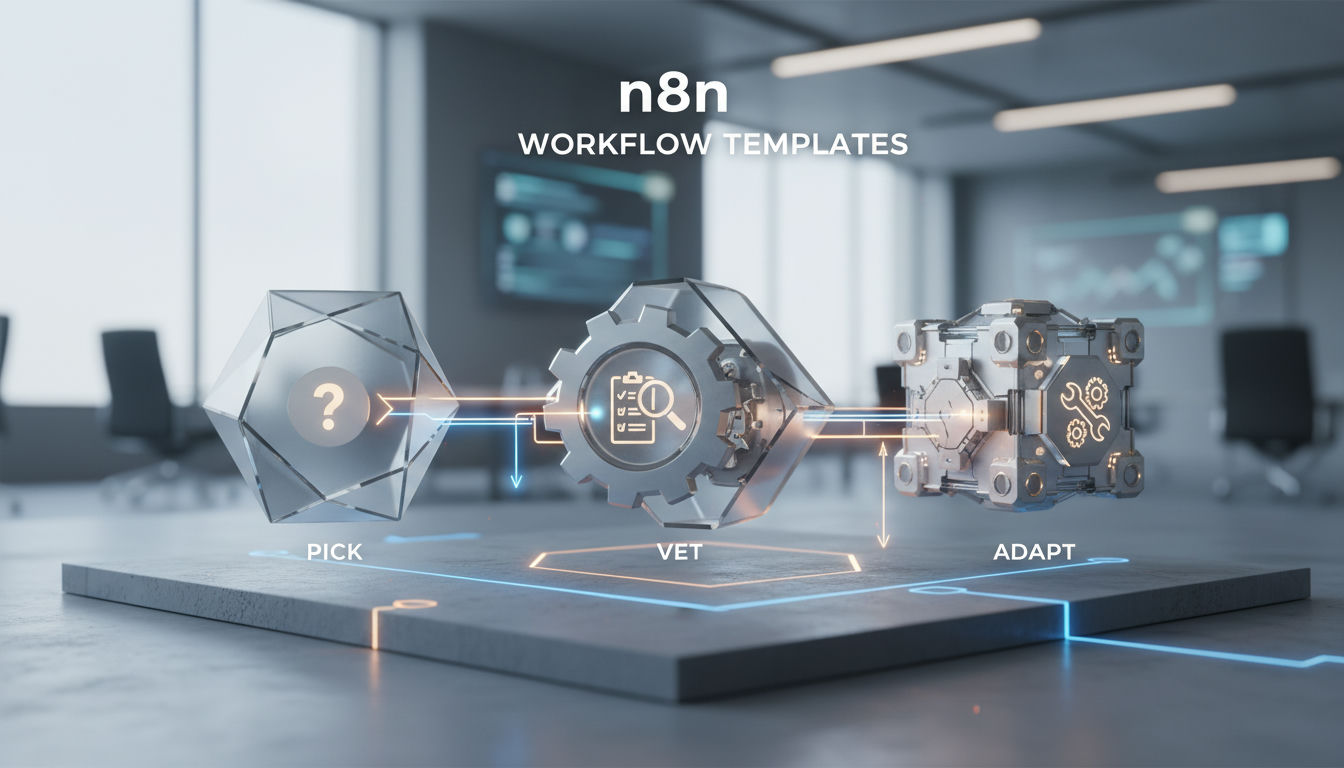
What n8n Workflow Templates Are and When They're the Right Starting Point
An n8n workflow template is a pre-built, shareable JSON workflow with nodes, connections, and settings you import into n8n to get a common pattern running fast, housed in the official library at n8n.io/workflows — but it is not safe to run as-is in production. The docs describe templates as help getting started, examples of what you can build, and best practices for your own workflows, not as audited, production-hardened packages.
That library now lists more than 13,700 community and creator submissions you can open, preview, and add to your canvas in a click.
In practice, a template solves the blank-canvas problem. It gives you the trigger, the API calls, the branching logic, and a rough data mapping for a specific job, like syncing form responses to Sheets, posting Slack alerts on new invoices, or wiring an AI agent to Gmail. What it does not guarantee is fit to your stack, credential handling, error management, or ongoing maintenance when a node version changes. Two templates that look identical can behave very differently once they hit your Postgres database, your auth setup, or your retry policy.
That is why templates work best as vetted starting points, not copy-paste finishes. You borrow the structure, then you adapt the details and keep people in control of the parts that touch real data. For a sense of how those patterns map to live systems, see real workflow examples, not just category names.
Before importing anything, you need a way to separate a trustworthy template from one that will quietly break in production.
How to Vet a Template Before You Import It
The biggest mistake with n8n workflow templates is treating popularity as proof of production safety. In a library of 13,774 templates, a polished preview can still hide deprecated nodes, overbroad credentials, or no error handling at all. Quality varies wildly across submissions, so the question isn't whether a template looks good in the preview pane; it's whether it passes a short, specific checklist.
n8n organizes its official workflow library into categories like AI, Sales, IT Ops, Marketing, and Document Ops, and surfaces a Verified Creators section alongside one-off community submissions. Verified status signals an author vetted by n8n with a track record, but it does not replace your own check on maintenance and implementation quality.
What to vet before you import comes down to five checks. Start with creator activity and last update, then inspect node currency against the deprecated nodes list, then look for an explicit failure path.
| Vetting criterion | What to check | Red flag |
|---|---|---|
| Creator & maintenance activity | Verified badge, author history, last update, comment replies | Stale after major n8n release, anonymous, single upload |
| Node / integration currency | Cross-check nodes against deprecated-nodes list and version | Retired nodes (Function, Cron); unknown-node import warning |
| Error handling presence | IF branching, Stop And Error, retries, Continue On Fail | Straight linear chain, no defined error path |
| Credential & auth scope | Credentials required; ask for admin or write scopes | Broad admin scopes for read-only job; hardcoded keys |
| Community feedback | Search title/core nodes on community.n8n.io and GitHub issues | Threads on silent failures or auth breaks |
Credential scope deserves extra attention. Open the template detail and list every credential it asks for. If a simple enrichment or notification flow requests admin OAuth or full write access, re-map it to a minimally scoped key before testing. Hardcoded secrets inside Code nodes are an immediate reject.
For community signal, copy the template name and its core node types into community.n8n.io and GitHub issues. You are looking for repeated auth failures, breaking changes after an API update, or maintainers marking threads as unresolved. n8n's own error handling docs note that once you create and set an error workflow, it runs if an execution fails — most generic templates skip that entirely.
A template with no error-handling branch is a liability, not a time-saver — it will fail silently in production.
Self-Hosted n8n vs. n8n Cloud: Import Differences That Affect Templates
n8n Cloud Starter plans cap execution history at 2500 saved executions and 7 days of log retention, Pro plans at 25000 executions and 30 days, and Enterprise at 50000 executions with unlimited retention time, while self-hosted n8n leaves retention and storage to you. That cap directly shapes which templates are safe to run in production. Passing vetting tells you the template is sound, but where you run it determines what's actually possible. The workflow determines the stack, not the other way around.
Credentials and environment variables
On import, a template brings node placeholders but not credentials. On n8n Cloud, credentials live in n8n's managed vault and are shared per workspace. On self-hosted Community Edition, only the instance owner and the creator can access a workflow or credential by default, and features like workflow and credential sharing, external secrets, and custom variables require a paid plan or edition. If a template assumes shared credentials, environment-based secrets, or external secret stores, you will need to remap those on self-hosted or upgrade to unlock them.
Node availability
Many templates in the library use community nodes. Self-hosted lets you install any npm-based community node. On Cloud, community nodes must be verified and explicitly enabled by the owner — you cannot install arbitrary custom nodes. A template that depends on an unverified node will import with missing-node errors on Cloud but run fine self-hosted.
Version control and workflow JSON portability
Template JSON is portable, but how you version it differs. n8n lists version control using Git as a paid feature on both Cloud and self-hosted. On self-hosted Community, most teams version workflows by exporting JSON to their own Git repo. On Cloud you get built-in history per plan, not a Git backend. Either way, import overwrites IDs, so keep people in control by snapshotting before import.
Execution limits and memory
Cloud instances enforce memory and storage ceilings that templates can hit. Trial and Starter run at 640MiB RAM, Pro-1 at 640MiB RAM, Pro-2 at 1280MiB RAM, and Enterprise at 4096MiB RAM, each with up to 100GB of data storage, and n8n itself uses around 180MiB RAM on average according to Cloud data management. Templates that fetch 10,000 rows or handle binary files in one run can push a Starter instance over that limit and crash. Self-hosted removes those ceilings if you provision more RAM and prune your own execution data.
Adapting a Template to Your Real Stack: Credentials, Data Mapping, and Error Handling
Adapting an n8n workflow template to your real stack means replacing every placeholder credential, pointing generic storage nodes at your production Postgres or Supabase tables, and wiring explicit error handling before you enable any trigger. A template that works with a demo Google Sheet breaks the first time it hits Row Level Security, a missing secret, or an API timeout in your live environment. The workflow determines the stack, so start by inventorying what the template assumes and what you actually run.

1. Remap every credential to your own
On import, n8n creates empty credential slots. Open each node, discard the demo credential, and select your stored credential. For Supabase, n8n's credential setup asks for an API-key-based or OAuth2-based connection rather than the anon key, and you must set the host to your project URL. For Postgres, create a dedicated read-write role for the workflow, limit it to the tables it needs, and store it in n8n credentials rather than hard-coding it.
2. Replace placeholder storage
Most public templates write to Google Sheets or an in-memory list. Replace that with your structured store. Swap the Sheet node for a Postgres Insert/Upsert or Supabase Create Row node, set the table and columns explicitly, and define conflict handling. If the template parses documents, map extracted fields to typed columns. For PDF-heavy flows, see how to choose extraction methods for structured data before you lock the mapping.
3. Fix data mapping and types
Open the template's Set or Code nodes. Rename fields to match your schema (e.g., invoice_date -> billing_date), cast strings to dates or numbers, and pin a sample input to test transforms. Keep people in control by logging the mapped payload before the write, so a reviewer can see what will be inserted.
4. Add error handling the template skipped
Many templates ship with no failure path. In n8n you can set an error workflow in Workflow Settings that runs if an execution fails, and you can add a Stop And Error node to force a failure on your own conditions. Wire HTTP Request nodes to retry on fail, set an error workflow that posts to Slack or email with execution link, and never let a production trigger run without it.
5. Test in staging, then enable
Duplicate the workflow, disable its schedule/webhook, and run it manually with pinned production-like data. Inspect the execution details, including IDs like the example execution log in the docs, before you enable the live trigger.
The table below is the handoff you fill in before go-live:
| Step | What to configure | Example value |
|---|---|---|
| Credential remap | Select your stored credential | supabase_prod_service - host https://abcd1234.supabase.co |
| Database target | Replace demo sheet with real table | Postgres node -> public.contacts, operation Upsert on email |
| Field mapping | Align template fields to your schema | source invoice_date maps to billing_date |
| Supabase auth | Use service role secret key | secret key stored as supabase_service_role, issued 2024-11-18 |
| Error handling | Assign error workflow | Error workflow: slack-alert-handler, triggers on failure with link https://n8n.example.com/execution/231 |
| Test run | Manual run with pinned data | Execute with November export sample, verify in staging before enabling cron |
When a Template Is Enough — and When You Need a Custom-Built Workflow
Templates and adaptation only go so far; eventually the question becomes whether to keep patching or to build. An n8n workflow template is enough for low-risk, single-system automation like Slack notifications or a basic HubSpot contact sync, but a custom-built workflow is the safer long-term choice once you need durable orchestration across Postgres, Supabase, a CRM, and human approvals with auditable failure handling.
Get practical guidance for Agencies, publishers, content teams, and businesses with repetitive workflows that rely on tools like n8n, Cloudflare, Supabase, PostgreSQL, Webflow, WordPress, or AI services (OpenAI, Claude). Ideal clients are those who need to automate research, writing, document processing, or operational handoffs but want a system that’s transparent, maintainable, and integrated with their existing stack—not a black-box solution..
When a template is enough
- The job touches one or two systems with stable APIs.
- Failure is visible and quickly recoverable, for example a non-critical alert.
- Ownership is clear and the logic changes rarely.
When a custom build is safer
- You are joining data across three or more systems and need consistent IDs and rollback behavior.
- Errors carry compliance, billing, or customer impact and need structured logging and alerts.
- You need people in control at defined checkpoints, for example approving content before publish or reviewing AI output.
- The process must run unattended for months without manual restarts.
Signals you have outgrown templates
- The same template breaks every few weeks and needs hand-fixes.
- Credentials are duplicated across many workflows with no central owner.
- No one can explain what happens when a node fails overnight.
- Silent failures create backlogs that only surface when a customer complains.
For teams at that threshold, a system built around your actual stack tends to hold up better. Hesham Mashhour - AI Content Systems builds those systems around what you already use, with human review points and documented ownership, so you keep templates where they work and replace only the parts that need durability.
The workflow determines the stack: a template is a starting point, not a permanent architecture.
Start with a vetted template to prove the pattern, then set a hard trigger: if you log two silent failures or three manual repairs in 30 days, commission a custom build for that flow.
Frequently Asked Questions
How do I know if a template uses deprecated nodes without importing it?
Preview the workflow detail on the official workflow library and list node types, then cross-check against the deprecated nodes list. n8n notes it won't release further updates or bug fixes for deprecated nodes, so avoid templates built on them. If you need a quick check, look for Function or Cron in the node list.
What happens if I import a template that contains a node that has been removed?
Workflows that use a removed node will fail, so the template won't execute until you replace that node. Check the deprecated nodes page for removal status and swap to the supported replacement before enabling.
Where do I assign an error workflow so it actually runs on failure?
Set the error workflow in Workflow Settings for each production workflow. Once assigned, it runs if an execution fails, which lets you post alerts or log details. Add a Stop And Error node to force executions to fail under your chosen circumstances and trigger that error workflow.
Can I use a template that needs community nodes on n8n Cloud?
Self-hosted n8n lets you install any npm-based community node, but Cloud only allows verified community nodes enabled by the owner. A template with an unverified node will import with missing-node errors on Cloud but run fine self-hosted. If Cloud is required, choose a template that uses only built-in nodes or a verified community node.
How do Cloud execution limits affect high-volume templates?
On n8n Cloud, Starter plans save max 2500 executions and keep 7 days of logs, Pro plans save max 25000 executions and 30 days, and Enterprise saves max 50000 with unlimited retention time. A template that runs every minute or processes batches can hit those caps quickly, truncating history you need for debugging. Self-hosted removes the cap but you must manage retention and storage yourself, with up to 100GB per Cloud instance as reference.
How should I handle credentials when moving a template from Cloud to self-hosted?
A template imports only placeholders, not secrets, so you must re-select stored credentials on the new instance. On self-hosted Community Edition only the instance owner and creator can access a workflow or credential by default, while workflow and credential sharing is a paid feature. Recreate minimally scoped credentials and avoid hardcoded keys inside Code nodes.
What's the difference between Starter and Pro-2 memory when running heavy templates?
Starter runs with 640MiB RAM, 10 millicore CPU burstable, Pro-2 with 1280MiB RAM, 80 millicore CPU burstable, and Enterprise with 4096MiB RAM, 80 millicore CPU burstable, while n8n itself uses around 180MiB RAM. A template fetching 10,000 rows or binary files in one run can exceed Starter and crash. For heavy jobs, run on Pro-2 or Enterprise, or self-host with more RAM allocated.
Do I need a paid plan to share templates and credentials across my team?
Yes for native sharing. Workflow and credential sharing, External secrets, Custom variables, Version control using Git are listed as features requiring a paid plan. On self-hosted Community you can work around it by exporting workflow JSON to your own Git repo. On Cloud you get built-in history per plan retention instead of Git.