AI Workflow Builder: Picking the Right Tool vs. Building Your Own

What an AI Workflow Builder Actually Does
An AI workflow builder is a visual (no/low-code) platform that connects apps, data, and LLMs/AI agents to automate multi-step processes with reasoning and decisions, not just data transfer. The clearest way to tell it apart from older automation: traditional rules-based tools follow fixed if/then logic to move data when a trigger fires, while an AI workflow builder evaluates the content itself, classifying, summarizing, deciding a branch, or calling another tool before it acts. IBM describes this as AI systems that perform and coordinate processes autonomously or alongside humans, with multi-agent workflows handling research, drafting, and review, and it points to growing executive confidence that AI agents will make automation more effective by 2027.
Picture a content ops lead looking at 40 research tasks in Notion that each need source gathering, summarization, fact checks, a draft in Webflow, and a Slack approval. A classic automation rule can copy titles and URLs. A builder lets an LLM check if sources cover the brief, pull missing context via search or internal docs, draft with citations, score confidence, and route only uncertain items to a human editor.
The pattern is consistent: connectors to apps and data, an orchestration layer for sequence and branching, and AI steps that can perceive and act rather than just transform fields. You keep the visual canvas, but gain steps that reason about unstructured content.
That is why most teams shortlist the same platforms first: n8n for breadth of integrations and code flexibility, Make for visual routing and data shaping, and Zapier for app coverage and speed to first workflow. They all qualify as AI workflow builders; their differences show up in how you control those reasoning steps.
Once the category is clear, the real question is which platform fits which team.
n8n vs. Make vs. Zapier: The Same Criteria, Side by Side
n8n, Make, and Zapier differ on the economics that decide the bill at scale: n8n charges per workflow execution with unlimited steps included, Make charges per module credit, and Zapier charges per task, so every step counts. With the category defined, the table below answers the question most teams actually ask first: which one fits my team and budget?
Normalized on the same five criteria, figures checked August 2026 against each vendor's own pricing and docs.
| Criterion | n8n | Make | Zapier |
|---|---|---|---|
| Pricing model | Per execution, unlimited steps | Per credit per module | Per task per step; Free 100 tasks/mo |
| Self-hosting | Yes — Community Edition free self-hosted; Cloud EU Frankfurt | No — cloud only, EU-hosted | No — cloud only, US/EU residency |
| AI-agent / LLM depth | Native LangChain nodes; agent orchestration | Direct OpenAI connectors | AI service connectors plus separate agent activities |
| Learning curve | Steepest — JSON, APIs, JS/Python | Moderate — canvas with routers/filters, no code | Lowest — trigger-action list, template-first |
| Data control / residency | Wherever you host; unlimited users | EU servers; per-plan seats | US or EU; unlimited Enterprise |
Context behind the cells
n8n wins when complexity is high or data must stay inside your network. Pricing is per execution with unlimited steps, so a 20-node workflow still counts as one run, and self-hosting is free via Community Edition while Cloud data is stored in Frankfurt, Germany. Every plan includes unlimited users, and the platform lists a large catalog of integrations with native LangChain nodes for AI agents, which is why it is often recommended for engineering-owned automation.
Make is the default for ops teams that need branching, looping and error handling without code. Its entry-level Core plan is usually cheaper than Zapier for multi-step scenarios, it connects a wide range of apps with a dedicated set built for AI use cases, and it runs on EU-hosted cloud. Its canvas model is readable by non-engineers, though the connector library is smaller than Zapier's.
Zapier is fastest to first value for non-technical teams. It advertises one of the largest app catalogs in the category, a template-first editor, and the lowest learning curve, but bills per task including filters and formatters, which multiplies cost as logic grows. Hosting is cloud only with US or EU residency options, and the Team plan has a capped seat count before Enterprise unlimited, per the GDPR residency note that distinguishes EU-based Make from US-hosted Zapier.
Where Gumloop and BuildShip Fit Alongside the Big Three
Gumloop has raised venture funding to build agent infrastructure for work, while BuildShip shipped one-click export that turns any visual workflow into readable JavaScript you can run with npx. The big three aren't the whole market: a layer of narrower tools solves specific problems the general-purpose builders don't.
Gumloop is built as an agent infrastructure platform rather than a generic Zap runner. The docs describe it as building AI agents that use your tools and data to do real work, then automating them with triggers, schedules and API. In practice that means managed data pipelines for GTM and ops: account research that pulls Salesforce, Gong and Gmail, enrichment flows, and a company brain that centralizes knowledge sources, skills and connectors. Who it fits: teams that want managed data pipelines without writing integration code and want agents that can clone themselves as sub-agents to parallelize research or outreach, rather than wiring each API step by hand. The difference is in kind: you give an outcome and context, not just nodes.
BuildShip comes at the problem from the backend. It positions itself as a low-code visual backend builder powered by AI for creating APIs, scheduled jobs and backend tasks. You prompt and visually assemble logic, and then you get portable code you own. The export page states that every tool or workflow can be exported as clean, production-ready JavaScript, run locally with npx and deployed to Vercel, GCP, AWS, Azure or your own MCP server. Who it fits: product and ops teams that want to prompt-generate backend logic fast but need to inspect, version, and later extend it with npm packages or existing services. It is less about orchestrating SaaS Zaps and more about shipping a backend you can keep.
Category-specific builders sit even narrower. Tools like HappyRobot focus on voice and industrial workflows where phone calls and dispatch are the core action, not documents or CRM updates. If your process is centered on that channel, a specialist can beat a general builder on depth.
But every one of these platforms, general or specialized, hits the same wall once a workflow includes a decision that shouldn't be fully automated.
Where No-Code AI Workflows Break Down: Oversight, Scale, and Ownership
No-code AI workflow builders break down at three predictable points for ops and content teams: black-box AI steps that can publish or write records without review, execution-based pricing that punishes high-volume runs, and vendor-cloud ownership that leaves logic and data outside your control.
The first failure is oversight. Most builders run an AI step as a single black-box action and move on. When that step drafts a customer email, rewrites a product description, or flags a record as approved, there is no native pause for a person to check it first. In practice, human-in-the-loop workflows define where autonomous action ends and human judgment begins, and approval gates reduce risk by inserting verification checkpoints before side effects occur. Without that, teams get retrospective incident logs instead of prevention.
The second and third failures show up together as you scale. Per-execution or per-task pricing makes a high-volume research cycle or a daily document-classification run costly to keep on retry loops, even when the builder itself is self-hosted in principle. Self-hosted deployments change the tradeoff because they offer no execution limits and complete data ownership, while cloud variants meter volume and keep credentials and logs on vendor infrastructure. That ownership gap matters when you need to audit a decision, replay a failure, or migrate logic.
Think of these as two axes that separate a builder from a system: an oversight axis (does a human have to approve, edit, or reject an AI output before anything irreversible ships) and an infrastructure axis (where state, audit trails, and structured data live, and who can operate them long-term). EU AI Act Article 14 formalizes the first axis by requiring high-risk systems to support effective human oversight, and production teams implement it as durable interrupt-and-resume with evidence packs, not a Slack message after the fact.
This is exactly where teams outgrow a generic builder. Systems built on n8n plus Cloudflare for execution and Supabase/Postgres for durable state solve the gap without abandoning the builder: the workflow determines the stack, AI gets a well-defined job with a confidence threshold, and exception handling surfaces edge cases for human review. It keeps people in control on critical decisions. For teams deciding where state should live, see this breakdown on choosing between self-hosted and cloud-based automation.
Use this checklist to audit your current AI workflow before it scales:
| Checkpoint | What to define | Example for 500-article/week publisher |
|---|---|---|
| Irreversible action | List every external write | AI draft publish to WordPress for ticker AAPL 2026-05-14 |
| Confidence routing | Threshold that triggers review | Route to editor if summary confidence < 0.82 or impact > $500 |
| Reviewer and SLA | Role + time window | Sarah Chen, Managing Editor, 30-minute SLA weekdays |
| State and audit | Where proposal + decision are stored | Supabase table workflow_approvals with idempotency key req_2026_05_14_1842 |
| Ownership exit | How to export logic and logs | n8n workflow JSON plus Postgres dump retained 12 months |
If an AI step in your workflow can take an irreversible action on bad data, it needs a human checkpoint before it ships, not after.
Choosing a Workflow Builder vs. Building a Custom System
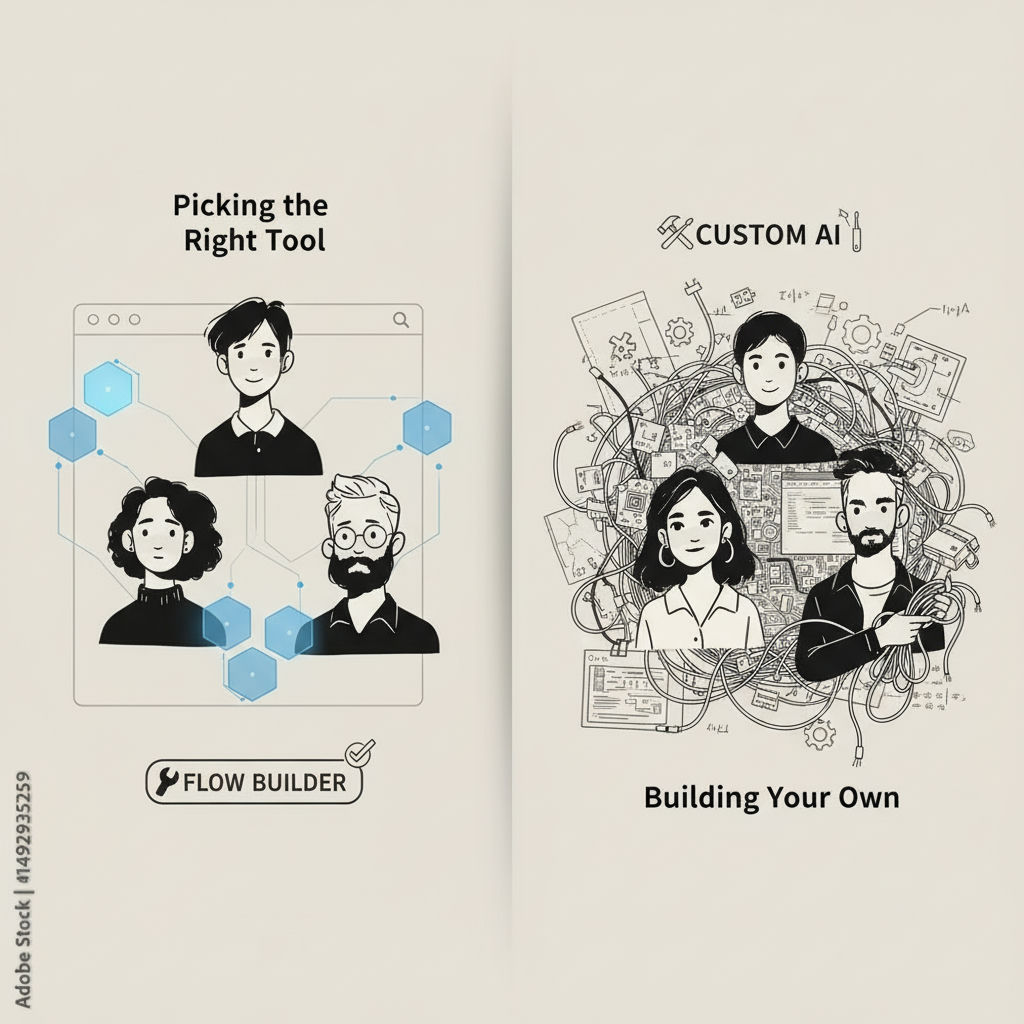
The mistake teams make when choosing an AI workflow builder versus building a custom system is assuming one platform has to handle every stage of growth, when in practice the workflow determines the stack. Use an off-the-shelf AI workflow builder like n8n, Make, or Zapier when the process is contained within a few apps, volume is moderate, and no step creates an irreversible outcome; move to a custom-built system when you need to own structured data in Postgres or Supabase, ensure durable execution and recovery, or keep people in control with defined approval before AI-generated content publishes.
Get practical guidance for Agencies, publishers, content teams, and businesses with repetitive workflows that rely on tools like n8n, Cloudflare, Supabase, PostgreSQL, Webflow, WordPress, or AI services (OpenAI, Claude). Ideal clients are those who need to automate research, writing, document processing, or operational handoffs but want a system that’s transparent, maintainable, and integrated with their existing stack—not a black-box solution..
Knowing where builders break down only helps if there's a clear rule for what to do next. Start with the work that needs doing, not the tool category. The cleanest way to decide is to map the process end to end and ask three questions: where does data need to live past a single run, where must a human say yes, and what happens if a run fails halfway.
If the answers stay inside the builder, stay there. Contained handoffs between Slack, Drive, and a CMS, low-to-mid volume, and reversible actions are where no-code builders shine. You get speed, visual debugging, and enough logging without building infrastructure.
Consider a custom-built layer when the answers point outside the canvas:
- You need to own the record, not just move it. Invoices, research notes, enrolments, or content briefs that must be queried, joined, and versioned later belong in Postgres or Supabase, not in transient execution history.
- A step cannot fire without review. Publishing, emailing a client, charging, or updating a system of record needs an explicit checkpoint where someone approves, edits, or rejects AI output.
- The process must survive failure. Critical ops need retry queues, idempotency, and an audit trail you can re-run from the point of failure, not from the start.
When to graduate to custom — quick check
- Data ownership signal: your workflow creates structured data you need to search and report on next week, not just pass to the next node
- Control signal: at least one AI step would cause real harm if it published or acted without human approval
- Durability signal: a partial failure mid-workflow would leave systems out of sync with no clear recovery path
- Sprawl signal: the same logic is copied across 5+ workflows and every change requires hunting through branches
If you check two or more, that is the point to graduate. Give AI a well-defined job inside a system designed around your process, instead of stretching a generic builder to cover governance it was never meant to handle.
For teams hitting those signals, one honest path is a workflow-first diagnostic. Hesham Mashhour - AI Content Systems runs a fixed-price diagnostic to map the current process, then builds on what you already use (often n8n extended with Cloudflare and Supabase) with human-in-the-loop checkpoints and documented ownership so your team can maintain it.
Sources
- AI Workflow | IBM
- Pricing
- www.digidop.com
- Build, share, optimize & control agents
- Own Your Build: Export and Self Host Your Tools & Workflows with BuildShip
- github.com
- Human-in-the-Loop Workflows: Definition and How to Build Them
- Human-in-the-Loop AI Agents: How to Design Approval Workflows for Safe and Scalable Automation - StackAI · AI Agents for the Enterprise
- xelionlabs.com
Frequently Asked Questions
Should I self-host n8n or stay on its cloud?
Self-host when you need no execution limits and complete data ownership inside your own VPC. Cloud is simpler to run and stores data within the EU in Frankfurt, which suits teams that want managed updates. Choose self-host if you must keep credentials, logs, and state entirely inside your network.
How does a human-in-the-loop checkpoint actually prevent bad AI outputs from shipping?
A human-in-the-loop workflow defines where autonomous AI action ends and human judgment begins. Approval gates insert verification before side effects like publishing or emailing, so low-confidence drafts pause for edit or rejection instead of auto-executing. That pattern is the practical way to provide effective oversight for high-risk systems.
Why would Make get expensive on complex content workflows while n8n stays flat?
Make bills per credit per module, so routers, filters, and error handlers each add cost. n8n bills per execution with unlimited steps, so a 20-node research and draft flow still counts as one run. Zapier's per-task model multiplies in the same way when logic grows.
I already use Zapier, can I add mandatory review before publishing AI content?
Yes. Put the AI generation step before a hold state such as Slack approval, email review, or a database flag that requires manual change. Only allow the WordPress or CMS publish node to run after that flag is set to approved. This gives you the same checkpoint that dedicated human-in-the-loop designs use.
Which tool lets me export and truly own the workflow code?
BuildShip exports every tool or workflow as clean, production-ready JavaScript that you can run locally with npx and deploy to Vercel, GCP, AWS, Azure, or your own MCP server. The general builders export JSON definitions, not runnable code you can version. If long-term ownership matters, start with a platform that provides that exit.
Is Gumloop a drop-in replacement for n8n, Make, or Zapier?
No. Gumloop is marketed as agent infrastructure for managed GTM pipelines that parallelize research across Salesforce, Gmail, and enrichment sources, and it raised a $50M Series B led by Benchmark. The big three are general connectors for app-to-app automation with varying LLM nodes. Use Gumloop when the job is outcome-driven agent research, not manual node wiring.
Where should I store approvals and audit trails for high-volume AI publishing?
Keep proposals, confidence scores, and decisions in durable storage like Postgres or Supabase, not transient execution history. Use an idempotency key such as req_2026_05_14_1842 in a table like workflow_approvals to allow replay from the failure point. That also satisfies the evidence need behind effective oversight for high-risk systems.
What happens when an AI workflow fails halfway and leaves systems out of sync?
Without durable execution, you get partial writes and no clear recovery path. A system approach uses retry queues, idempotency, and state stored outside the builder, so you can resume from the failed step. Self-hosted n8n paired with Cloudflare for execution and Postgres for state is one common stack for that pattern.