MuleSoft Intelligent Document Processing: What It Actually Does
This article explains what MuleSoft Intelligent Document Processing does, how it turns PDFs and scans into structured data using OpenAI GPT and Google Gemini, and how classification, extraction, confidence scoring, human review, and JSON routing work. It covers licensing with Mule and Automation Credits, CloudHub vs Runtime Fabric deployment, and when a custom pipeline with tools like Docsumo beats the native Salesforce approach.
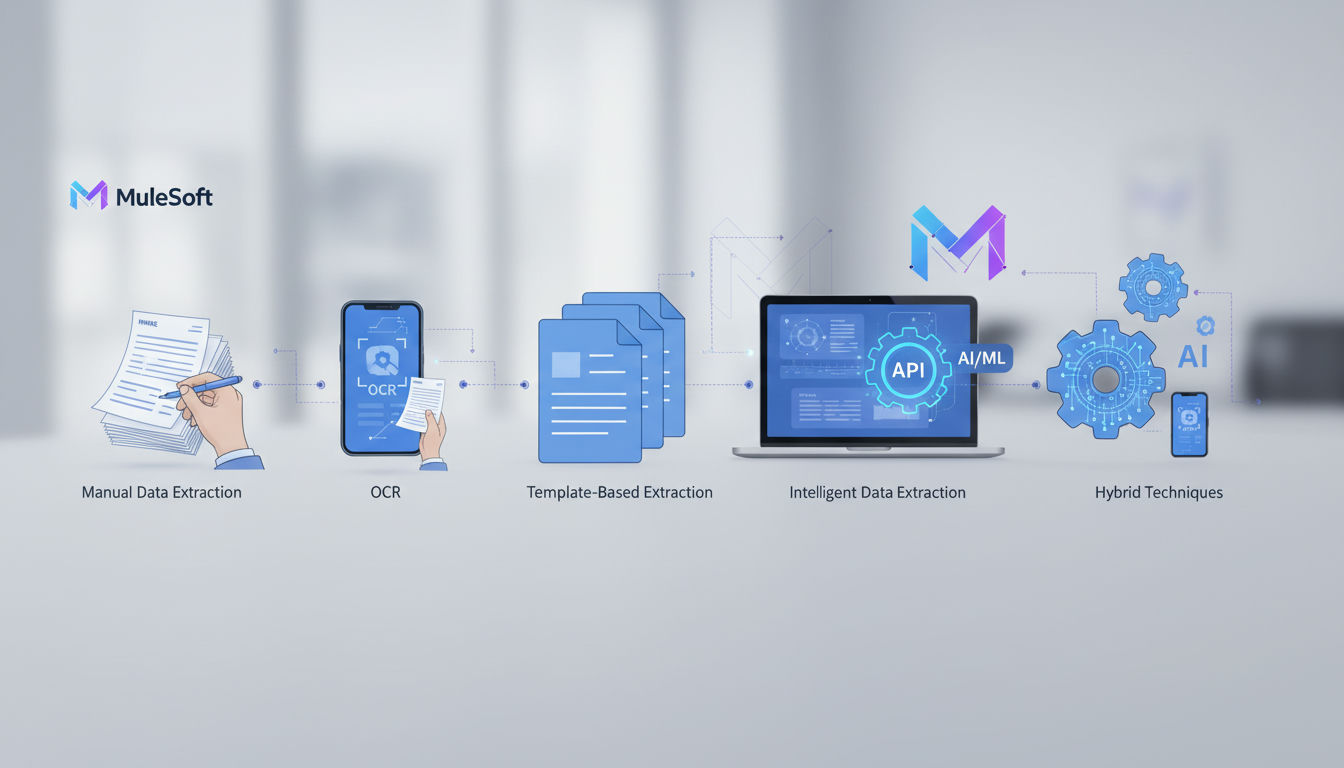
What MuleSoft Intelligent Document Processing Actually Is
MuleSoft Intelligent Document Processing (IDP) is an AI-powered capability in the MuleSoft/Anypoint ecosystem that converts unstructured and semi-structured documents (PDFs, scans, invoices, purchase orders, contracts) into structured data for downstream automation. It runs on built-in LLMs, including OpenAI GPT and Google Gemini, to classify documents and extract fields through natural-language prompts or pre-built templates, then returns machine-readable results that Mule flows and Salesforce workflows can consume.
According to MuleSoft documentation, IDP reads invoices, purchase orders, and other unstructured or semi-structured documents and refines the extracted content using AI to produce a structured response, with automations triggered by natural-language prompts or pre-built templates trained on common document types.
The capability is delivered in two forms: MuleSoft for Flow, which runs IDP as a native Salesforce app for teams working inside Salesforce, and MuleSoft IDP as a standalone deployment that runs across Anypoint and other systems. Both paths share the same extraction core, differing only in where the workflow is managed and connected.
That raises the next question: how does it actually process a document end to end?
How Document Extraction, Confidence Scoring, and Human Review Work
IDP does not just OCR a file and return text. It classifies the document type, extracts structured fields with LLMs, scores confidence per field, routes low-confidence cases to a human reviewer, and emits validated JSON for downstream automation. The common mistake is treating it as hands-off extraction. In practice it's designed as a gated workflow where automation handles the majority and a person resolves the exceptions.
The sequence in practice
1. Classification. IDP first identifies what the document is, so a mixed inbox of invoices, purchase orders, and other unstructured or semi-structured documents can be sorted before any extraction logic runs.
2. Extraction. You define what you want in two ways. For common business docs you use pre-built templates tuned for invoices and purchase orders. For everything else you prompt in natural language for fields, tables, and descriptions, for example "extract contract start date", and IDP returns them as structured data, not free text.
3. Confidence scoring. Every extracted field gets a confidence score, with the model evaluating its own certainty based on layout, text quality, and prompt match.
4. Human-in-the-loop review. When a field score falls below the threshold you set, IDP sends the document for human review to verify the values. The reviewer corrects in a UI, and only the validated record moves forward. That intelligent confidence scoring determines when documents can move forward and when human review is required, triggering exception workflows instead of blocking the whole batch.
5. Downstream routing. After validation, the document action returns a response in JSON format with all extracted fields, so it can be consumed directly by a Mule flow, written to Salesforce objects, or exposed as an Agentforce action. As an agent action, IDP lets an Agentforce agent answer "what is in this invoice?" by calling extraction at runtime, then chaining to create a record, send for approval, or kick off a payment, something a standalone extraction tool cannot do without custom orchestration.
Human review does not disappear. It shrinks to exception handling. Expect reviewers to touch the fields where confidence is low, not every document.
The workflow mechanics explain what happens to a document. The next question is what it costs to run that workflow at scale.
Licensing, Mule Credits, and What Drives MuleSoft IDP Cost
MuleSoft Intelligent Document Processing is licensed through MuleSoft's package model, with a published starting price billed annually, and IDP consumption metered from a shared pool of Mule Credits or Automation Credits rather than a standalone per-document subscription. Where you run it changes both the price and the fit, because the credit pool and entitlements you buy determine how document workloads scale.
MuleSoft sells one shared credit currency usable across integration, API management, automation, and agent capabilities. Each workload type has its own credit rate that decreases as usage grows, and the buying models include Pre-Purchase and Pre-Commit options. IDP can be consumed in two ways: inside the general portfolio via Mule Credits, or inside the distinct Automation bundle via Automation Credits. According to an independent TCO breakdown of MuleSoft costs, the Automation package uses Automation Credits as its meter, separate from the Mule Flows and Mule Messages meters used by Integration Starter and Advanced, with each RPA task, AI workflow step, or Agentforce action drawing from that pool.
What drives the bill up:
- Document volume and pages processed, which consumes credits proportionally
- Flow/Message capacity or vCore footprint if you run on Anypoint Runtime Fabric or hybrid
- Data throughput entitlements and add-on credits when you exceed the allocation
- Support tier upgrades like Signature Success Plan and premium connectors
- Professional services for implementation, training, and ongoing DataWeave work, which the same analysis flags as a recurring line item worth budgeting for separately, since it isn't covered by the credit pool itself
That deployment choice is exactly where the Salesforce-native and standalone paths diverge and where the real TCO comparison starts.
Salesforce-Native App vs. Anypoint/RTF: Which Deployment Fits
MuleSoft Intelligent Document Processing runs in two forms: a Salesforce-native IDP app that lives directly inside Salesforce, and a capability of Anypoint Platform that you deploy to fully-managed CloudHub or to customer-hosted Anypoint Runtime Fabric.
Picture an ops lead deciding where processed invoices should land. If the team already works in Salesforce cases, accounts, and Flow, the native app keeps everything in-platform and avoids extra runtime ops. If the documents feed ERPs, data lakes, and APIs outside Salesforce, the Anypoint path gives you the broader integration surface.
| Criterion | Salesforce-Native IDP App | Anypoint/Enterprise (RTF) Deployment |
|---|---|---|
| Target organization profile | Salesforce-centric teams using Sales/Service Cloud, Flow, Agentforce | Enterprise integration teams running Anypoint Platform at scale |
| Infrastructure/hosting | Runs inside Salesforce, Salesforce-managed | CloudHub: fully-managed iPaaS; RTF: customer-hosted on Kubernetes |
| Integration surface | Native Salesforce objects, Flow, Agentforce actions | Any system via MuleSoft connectors, APIs, event-driven flows |
| Setup complexity | Low — install managed package, configure prompts | Higher — Anypoint VPC, worker sizing, RTF cluster operations |
| Typical cost driver | Per-document processing bundled with Salesforce automation entitlements | vCore/credit consumption plus IDP document consumption |
| Best-fit use case | Invoices, POs, forms creating/updating Salesforce records directly | Multi-system document workflows, on-prem data residency, high-volume shared runtimes |
The architectural split behind that choice matters. CloudHub achieves isolation through virtualization on AWS EC2 instances, offering seven pre-determined worker sizes, while Runtime Fabric achieves isolation through containerization on compute you control. That makes CloudHub faster to stand up with auto-scaling and managed patching, while RTF gives you granular vCPU and memory sizing, data-residency control, and the ability to run behind your firewall on Kubernetes.
In practice, choose the Salesforce-native app when your document workflow starts and ends with Salesforce objects, you want admins and Salesforce-native automation to own review, and you're already licensed for the Salesforce-native IDP product. Choose Anypoint/RTF when you need to publish extracted data to non-Salesforce systems via Mule flows, share runtimes across business units, or meet hosting requirements that CloudHub cannot satisfy.
When a Custom Document Pipeline Beats MuleSoft IDP
A custom document pipeline beats MuleSoft IDP when your documents, approvals, and downstream systems live outside Salesforce and you want to own the workflow, not rent space inside another platform.
AI-powered content systems and workflow automation built around your team’s tools, processes, and goals—designed, implemented, and maintained by a Cambridge-trained automation engineer.
That tension shows up early in practitioner discussions, where builders describe IDP as highly use-case dependent and note that extracted data can be routed onward through APIs or separate automation tools rather than forced through a single suite.
Two paths come up repeatedly for teams not already deep in Salesforce:
- Point-solution IDP platforms like Docsumo. Docsumo positions itself as an intelligent document processing platform that checks each file, where AI agents cross-check each document and your team clears exceptions, with workflows built around your process rather than inside Flow. MuleSoft's own positioning, by contrast, centers on extracting data for Salesforce Flow and Mule apps, with document workflows built inside Salesforce.
- Custom pipelines built with workflow tools plus LLMs. A common pattern is an orchestration tool handling storage, OCR/LLM calls, structured output validation, and human review checkpoints, then pushing results to Postgres, Supabase, Webflow, or an ERP via webhooks.
The tradeoff is ownership versus pre-integration. MuleSoft IDP keeps document steps close to Salesforce and Anypoint, which is efficient if those are your source of truth. A custom pipeline keeps people in control of the schema, the review points, and the hosting. The workflow determines the stack, not the other way around. You avoid per-credit metering tied to a larger platform package and forced migration of adjacent logic into Flow or Mule apps.
This is where the approach behind Hesham Mashhour - AI Content Systems fits for some teams. It builds AI-powered content systems around existing workflows using n8n, Cloudflare, and Supabase, with fixed-price builds, human-in-the-loop review built in, and infrastructure that is self-hosted or cloud-based but owned by the client. Give AI a well-defined job, keep review where judgment matters, and document the system so the team can run it.
It remains the complement, not a dismissal: if your intake, case management, and automation already run in Salesforce, MuleSoft IDP is the more integrated choice.
Plain verdict: MuleSoft IDP wins for teams already standardized on Salesforce/Anypoint; a custom pipeline wins when the workflow (not the platform) should determine the stack.
Deciding If MuleSoft IDP Is Right for Your Document Workflow
The filter is straightforward: IDP is the right fit when your documents originate inside Salesforce and you want extraction exposed as agent actions that feed downstream Mule flows; it's the wrong fit when your workflow starts in external systems you need to keep portable. Salesforce teams that connected IDP to Agentforce actions typically chose it because their invoices, claims, and onboarding forms already lived in Salesforce Flow.
Run through this before you commit:
- Are you already operating Anypoint Platform or Salesforce Flow at scale, with integration patterns that IDP can plug into directly?
- Does your monthly document volume line up with credit and vCore consumption you already budget for, rather than adding a new platform cost layer?
- Do you need Agentforce-native actions where extracted fields trigger agent validation and downstream automation without custom glue?
- Does your workflow start outside Salesforce, across Webflow, Supabase, or other tools you own, where portability and full ownership of the pipeline matters more than staying inside one vendor?
The controlling rule is simple: if the platform is already MuleSoft and Salesforce, IDP reduces hand-offs. If the workflow, not the platform, should dictate the stack, a custom pipeline you own keeps you in control. Keep people in control and give AI a well-defined job, and that choice determines the tool.
Sources (8)
- IDP Overview | MuleSoft Documentation
- Intelligent Document Processing (IDP) Software
- Getting Started with Document Processing
- MuleSoft by Salesforce Pricing | Plans From $2,000 a Month
- www.integrate.io
- When to use CloudHub vs. Runtime Fabric
- solvd.cloud
- MuleSoft IDP alternatives for teams who want agentic workflows
Frequently Asked Questions
Do I need to already use Salesforce Flow to get value from MuleSoft IDP?
No. It ships in two modes described as Automation Inside Salesforce with MuleSoft for Flow and Flexible Document Automation with MuleSoft IDP - Built for any environment. If you live in Salesforce, use the native app; if you integrate ERPs and outside systems, run it on Anypoint Platform and call it from Mule flows. See the overview at MuleSoft IDP.
How does the confidence score decide whether a document needs a person to check it?
Each processed document shows a confidence score for each extracted field, and when the value is lower than the threshold you define, IDP sends the document for review by a human. That intelligent confidence scoring determines when documents can move forward and when human review is required, triggering exception workflows instead of stopping the whole batch. You keep automation for the majority and limit manual work to low-confidence fields.
What does the extracted data actually look like for my downstream integration?
IDP returns a response in JSON format with all the extracted fields, so you can map it directly to Salesforce objects, a database, or a Mule flow without parsing free text. The structure includes the fields and tables you prompted for. Docs describe this pattern in document processing.
Can I run MuleSoft IDP completely outside of Salesforce?
Yes. As a native component of the Anypoint Platform, it can run on fully-managed CloudHub or customer-hosted Anypoint Runtime Fabric. CloudHub uses virtualization through AWS EC2 instances while Runtime Fabric uses containerization on Kubernetes you control, which gives you data-residency and sizing options outside Salesforce.
Which AI models actually power extraction inside MuleSoft IDP?
It is built on leading LLMs including OpenAI GPT, Google Gemini, and more, according to MuleSoft's product page. You do not pick the model directly; you use natural language prompts and pre-built templates and the platform handles classification and extraction under the hood.
How is IDP billed compared to other MuleSoft products?
MuleSoft uses one shared credit currency across the portfolio, and IDP consumption draws from that pool. The Automation package uses Automation Credits separate from Mule Flows and Mule Messages meters used by Integration Starter and Advanced. Packages start at $2,000 per month, billed annually and the Pre-Commit model has a $50K minimum annual commitment as listed on MuleSoft pricing.
Can an Agentforce agent trigger document extraction on its own?
Yes. Document processing can be exposed as agent actions, enabling agents to extract, validate, and act on data at runtime. An agent can call IDP to answer what is in an invoice, then chain to create a Salesforce record, request approval, or start a payment flow without custom glue.
When does a standalone IDP tool or custom pipeline make more sense than MuleSoft IDP?
If your intake, approvals, and storage live outside Salesforce, ownership often beats in-platform convenience. Docsumo positions itself as an intelligent document processing platform that cross-checks each file with AI agents while your team clears exceptions, versus MuleSoft IDP that extracts data for Salesforce Flow and Mule apps. MuleSoft IDP may be the better pick if you run your processes in Salesforce Flow, Agentforce or Mule apps.