AI Agent Creation Platform: Picking the Right Path to Build

What an AI Agent Creation Platform Actually Needs to Do
An AI agent creation platform is a system for designing, testing, and deploying agents that reason, call tools, and execute multi-step workflows across your apps and data. The choice that actually shapes cost and maintainability is not which brand to pick from a list, but which of four structurally different paths (no-code visual builder, developer framework, enterprise ecosystem, or custom-built system) fits your team's workflow, technical capacity, and requirements for control. A usable platform must provide a design surface for the agent's job and limits, connectors for tools and data, a test environment that shows intermediate steps, deployment with logs and error handling, and explicit points where a person can review or approve before the agent acts.
That last part is where many evaluations stall. Teams start by comparing feature checklists, then discover their real need is control. The workflow determines the stack: if the agent needs to branch, keep state across steps, touch structured data in multiple systems, or pause for human review, those requirements decide the architecture, not the marketing page.
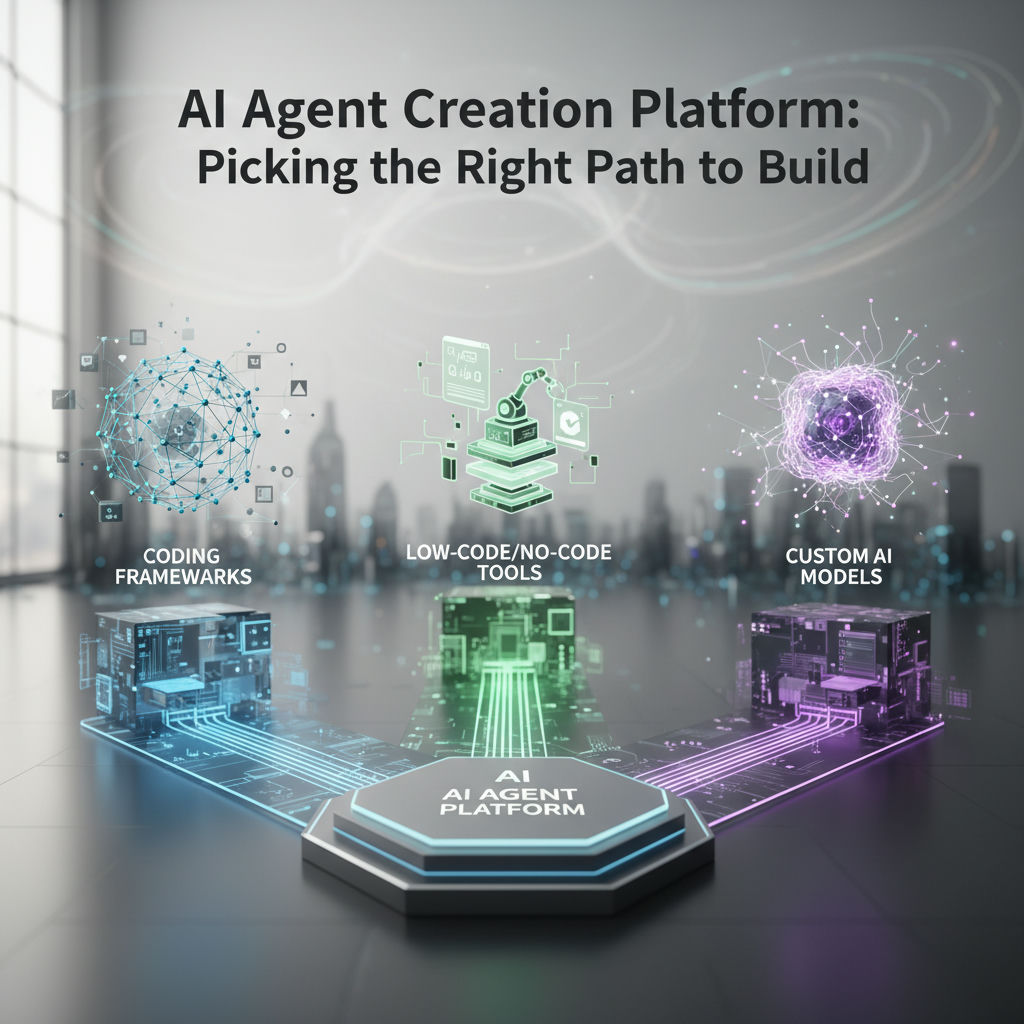
The market condenses into four paths. No-code visual builders optimize for speed of assembly. Developer frameworks optimize for control over logic and state. Enterprise and cloud ecosystems optimize for integration inside a vendor suite and centralized governance. Custom-built systems optimize for ownership, data residency, and workflows that do not map cleanly onto a pre-built tool.
The rest of this guide maps where each path helps and where it breaks, so you can keep people in control while matching the build approach to the work that needs doing. For a closer look at how the definition applies in practice, see what an AI agent creator means in practice.
No-Code Builders vs. Developer Frameworks vs. Enterprise Ecosystems: Where Each One Breaks
Gumloop built a visual canvas where teams connect enrichment, reasoning and app actions without writing code, and that same no-code category, including Zapier Central and Relay.app, hits a ceiling when workflows need branching logic, durable retries, or owned data stores. Developer frameworks like LangGraph and CrewAI solve that control problem with explicit graphs and role-based crews, while enterprise ecosystems like Microsoft Copilot Studio and Google Vertex AI Agent Builder solve governance but create stack lock-in, based on 2026 production evaluations.
No-code / visual builders
Gumloop, Zapier Central, and Relay.app optimize for speed to first agent. Gumloop's pitch is that a visual builder lets you connect apps, logic, and AI steps without writing code, with built-in model access and web tools. Zapier Central brings its wide app network into an agent wrapper; Relay.app focuses on human approval steps inside a simple canvas.
The break appears after week three. Teams that need conditional branching with multiple conditions per path, step-level filters, autoreplay on failure, or structured parsing across long documents find the canvas cannot express it. The Zapier roundup of agent builders calls this out directly, noting missing advanced workflow features like step-level filters and built-in error handling for lightweight builders. Data residence is also opaque: you are storing execution state in the vendor's cloud, which matters when the agent touches customer PII or financial records.
Developer frameworks
LangGraph, CrewAI, and Microsoft AutoGen give you code-level control. LangGraph models an agent as a directed state graph with explicit typed state, checkpointing, and visible transitions; you define what happens at each node and how failures recover. CrewAI models work as crews of role-defined agents that hand off tasks, which gets a multi-agent prototype running in hours. AutoGen historically modeled work as group-chat conversations with code execution inside Docker.
Their break is operational overhead. LangGraph requires developers who think in state machines and are comfortable with its API churn. CrewAI introduces token overhead from manager-to-worker chatter and non-deterministic outputs that complicate testing. AutoGen itself moved to maintenance mode by Microsoft, receiving only bug fixes and security patches while Microsoft directs new projects to Microsoft Agent Framework. All three still bill you for the loop (prompts, tool outputs, retries), not just the framework.
Comparing the Four Paths: Control, Ownership, and Cost Over Time
Which path will still let you change logic and keep your data when requirements shift next quarter is the real test, and across no-code visual builders, developer frameworks, enterprise/cloud ecosystems, and custom-built systems, control and ownership diverge far more than setup speed.
Microsoft lists Copilot Studio credit packs at $200 per pack for 25,000 Copilot Credits per month alongside Microsoft 365 Copilot at $30 per user per month paid yearly, while Google's Gemini Enterprise Agent Platform pricing highlights show up to $300 in free credits to try with text generation starting at $0.0001 per 1,000 characters.
With each category's breaking point established, the comparison can now be put side by side on the same criteria. The goal is not feature counting, but mapping how much you can adjust, where data lives, and what you keep paying after launch.
There is no single 'best' AI agent creation platform. The right path is set by how much control over logic and data your workflow requires, not by which tool has the most features.
| Criterion | No-Code Visual Builder | Developer Framework | Enterprise/Cloud Ecosystem | Custom-Built System |
|---|---|---|---|---|
| Setup effort | Hours to days, drag-and-drop canvas | Days to weeks, code and infra setup | Days to weeks, tenant and connector config in Azure/GCP | 1-3 weeks; built on n8n, Workers, Supabase |
| Control over logic | Limited branching, prompt templates hard to extend | Full code control, custom tools and state handling | Policy-bound, limited to ecosystem connectors and harnesses | Full control, workflow determines stack, limits defined in code |
| Data ownership | Vendor-hosted, export via API only | Self-hosted possible, you manage database | Data in tenant cloud (Dataverse, BigQuery, Vertex storage) | Owned Postgres/Supabase, self-hosted or in your cloud |
| Human-in-the-loop support | Basic approval nodes where offered | Must build review queues and escalation yourself | Built-in approval actions and audit logs in platform | Designed-in review points, escalations, and audit log |
| Ongoing cost pattern | Per-seat or per-run subscription | Model tokens plus compute plus engineering time | $200/25k-credit pack/month + $30/user/month M365 Copilot; Google consumption-based | Infra plus model tokens plus optional retainer, no platform license |
| Lock-in risk | High, logic locked in proprietary canvas | Low code portability, high maintenance burden | High, dependencies on Power Platform/Dataverse or Vertex/Gemini Enterprise | Low, runs on standard tools (n8n, Workers, Postgres) |
Read the table from bottom to top if you are planning past month three. If your workflow needs frequent logic changes, owned data, and explicit approval steps, the higher lock-in options become expensive quickly even when initial setup looks cheap. If you need a single-channel helper inside Microsoft 365 or Google Cloud, an enterprise ecosystem can be efficient. Teams that have hit no-code ceilings often weigh this against picking the right tool versus building your own to keep maintenance predictable.
The custom-built system path in this table means agent systems assembled on existing infrastructure such as n8n, Cloudflare Workers, and Supabase/Postgres, with human-in-the-loop review points and no vendor lock-in. It is not a productized workflow builder, it is a build approach that trades a platform subscription for owned code and databases. The table surfaces control and ownership as the deciding factors, worth examining on their own.
Human-in-the-Loop and Data Ownership: The Criteria the Listicles Skip
An AI agent creation platform fails in production when teams treat full autonomy as the goal. Production agents that move money, edit structured records, or update enrolment and reporting data need defined limits and human approval before irreversible actions, not an open-ended agent with broad tool access.
Human-in-the-loop is a runtime control choice, not a prompt trick. A human-in-the-loop approval workflow for AI agents is a runtime control pattern where an agent must request and receive a human decision before executing a specific action that could cause real-world impact. Without that split between propose and commit, you get the two failure modes teams hit at month three: latency and fatigue. A synchronous gate that waits for a human adds delay that varies with reviewer availability, so queues stall and reviewers start rubber-stamping.
Design the gate first, not after the agent. Map your action space by reversibility first:
- Irreversible or costly: payments, database deletes, learner certificate issuance, outbound customer emails, always require approval with an evidence pack (proposed diff, source, confidence, policy checks).
- Reversible and low-risk: internal ticket creation, draft summaries, retrieval, can be autonomous or sampled (e.g., review 5-10% for drift).
Then define who reviews, what they see, and what happens on timeout. Route by expertise (finance lead for refunds, service owner for prod DB writes), show only the decision payload, and set an explicit SLA with fallback like auto-reject or escalation.
Data ownership is the second missing criterion. SaaS builders store your prompts, files, and often intermediate outputs in their cloud. If pricing changes, rate limits tighten, or a product shuts down, your agent's memory and audit trail go with it. Owning your code and infrastructure means you keep the workflow definition in n8n, the runtime on Cloudflare Workers and owned Postgres for agent deployments, and the source of truth in PostgreSQL or Supabase. You can export, self-host, change LLM providers, and keep logs for audit.
For teams handling financial research, structured records, or e-learning enrolment/reporting, that control matters more than drag-and-drop speed. This is where a custom-built path makes sense: a small studio building agents this way (Hesham Mashhour - AI Content Systems is one example) designs tasks, limits, and approval workflows into the system, deployed on infrastructure the client owns with PostgreSQL/Supabase integration and no vendor lock-in. Work starts with a fixed-price build preceded by a diagnostic that is credited to the build when you proceed. The workflow determines the stack, and people stay in control.
Use this template to lock those decisions before you build:
| Field | What to enter | Example |
|---|---|---|
| Review trigger | Specific action that needs sign-off | Write to enrollments where fee > 2000 USD or update certificates table |
| Approver and channel | Role, contact, and review surface | Finance lead via Slack #agent-approvals, 9am-6pm Europe/London |
| Evidence pack | Minimum context reviewer needs | Proposed row diff, source PDF link, confidence 0.62, policy check: PII flagged |
| Timeout and fallback | Max wait and what happens next | 4 hours then escalate to ops@company.com, auto-reject after 24 hours |
| Data location and owner | DB, region, ownership, backup | Supabase Postgres eu-west-1, client-owned project, daily PITR backups |
| Code and deployment owner | Repo, runtime, who can redeploy | Private GitHub repo acme/agents, Cloudflare Workers + self-hosted n8n on Hetzner CPX31 |
Choosing Your Path: A Decision Framework by Workflow Type
The decision turns on how long you need to own the workflow, not how many features a vendor lists. Start with the work that needs doing and trace who has to stay in control.
AI-powered content systems and workflow automation built around your team’s tools, processes, and goals—designed, implemented, and maintained by a Cambridge-trained automation engineer.
If your workflow is a single-tool conversational task inside one SaaS product (answering tickets from a helpdesk, drafting replies from a single data source) default to a no-code builder. You get speed and low setup effort, and you avoid writing maintenance code for a simple loop.
If your workflow lives entirely inside Microsoft 365 or Google Cloud, with identity, search, and compliance already centralized there, an enterprise ecosystem is the pragmatic default. Copilot Studio or Vertex AI Agent Builder trades some portability for native permissions and admin tooling.
If your workflow needs engineering-level control (custom reasoning loops, long-running state, tool use you define in code, evaluation harnesses) pick a developer framework. LangGraph, CrewAI, or AutoGen fit when you have headcount to own the codebase and you expect the logic to change often.
If your workflow is a multi-step document and data pipeline that crosses systems, requires inspection before it publishes, and must run on accounts you control, that is the branch for a custom-built system. Teams running research, claims processing, enrolment-to-lesson delivery, or financial content production hit the ceiling of no-code builders here: branching logic, structured extraction, and human approval points need to be explicit parts of the workflow, not workarounds. The workflow determines the stack (typically n8n for orchestration, Cloudflare for durable execution, Supabase/Postgres for owned data) and you keep people in control by design. Fixed-price builds for this path typically start from $5,000, with a smaller diagnostic engagement available first for teams that want the stuck points mapped before committing.
The deciding question is not which platform has the most features but who needs to stay in control of this workflow, and for how long.
Actionable next step: map your current process inputs, decisions, exception paths, and desired outputs before you evaluate any tool. If your map lands in the owned-infrastructure branch, start with a free introductory call to walk through the stuck points and decide whether a diagnostic is warranted.
Sources
- zapier.com
- zapier.com
- Build the graph
- LangGraph vs CrewAI vs AutoGen: Best AI Agent Framework 2026
- Flexible Copilot plans for every organization
- Gemini Enterprise Agent Platform
- Human-in-the-Loop AI Agents: How to Design Approval Workflows for Safe and Scalable Automation - StackAI · AI Agents for the Enterprise
- AI Automation Consultant | Hesham.us
Frequently Asked Questions
Can I prototype in a no-code builder and later migrate to LangGraph or another framework?
Yes, but plan for a rebuild rather than an export. No-code logic is locked in a proprietary canvas with export via API only, so moving to LangGraph means recreating your StateGraph with explicit typed state and checkpointing, plus tools and retries. Use the no-code version for disposable validation of the job to be done, not as a foundation for owned infrastructure.
How do I decide between Microsoft Copilot Studio and a custom-built system?
Choose Copilot Studio when identity, search, and compliance already live in Microsoft 365 and you want native governance. It is priced at $200.00 per pack per month for 25,000 Copilot Credits and Microsoft 365 Copilot at $30.00 per user per month paid yearly. Choose custom when you need owned Postgres or Supabase and explicit approval before writes to tables like enrollments or certificates.
What does a human-in-the-loop approval workflow actually enforce in production?
It is a runtime control pattern where an AI agent must request and receive a human decision before executing a specific action that could cause real-world impact. In practice you define the review trigger, approver and channel, evidence pack with proposed diff and confidence, and timeout with fallback like auto-reject. This splits propose from commit and prevents irreversible actions like payments or database deletes.
Is AutoGen still a good starting point for new agents?
No for new projects. Microsoft AutoGen moved to maintenance mode by Microsoft, receiving bug fixes and security patches but no new features. If you have existing AutoGen agents, plan a migration path to Microsoft Agent Framework or a StateGraph-based framework like LangGraph where you control transitions.
What are the concrete limits that make no-code builders break?
Teams hit ceilings when they need advanced workflow features like step-level filters, autoreplay, multiple conditions per path, and built-in error handling. Visual canvases also make structured parsing across long documents and durable retries hard to express. Those limits show up when branching, state, and owned data stores become required.
What does a custom-built agent system run on and who owns the pieces?
The approach in the guide uses n8n for orchestration, Cloudflare Workers for durable execution, and Supabase or Postgres for owned data and audit logs. You own the workflow definition, private GitHub repo, runtime, and database, so you can export, self-host, change LLM providers, and keep logs. There is no platform license locking the logic.
How do ongoing costs compare across the four paths?
No-code charges per-seat or per-run subscription. Developer frameworks cost model tokens plus compute plus engineering time to maintain state machines. Enterprise ecosystems bill Copilot Studio at $200.00 per pack per month for 25,000 credits plus $30.00 per user per month for Microsoft 365 Copilot paid yearly, while Google Gemini Enterprise bills from $0.0001 per 1,000 characters. Custom-built systems pay infra plus tokens plus an optional retainer with no platform license.
Does Google Cloud Gemini Enterprise Agent Platform offer a way to try before committing?
Yes. New customers can get $300 in free credits to try Gemini Enterprise Agent Platform, with text generation starting at $0.0001 per 1,000 characters. After credits, pricing is consumption-based on usage, so you pay for characters, tool calls, and storage rather than seats.