The article defines no-code vs custom code automation for content production, evaluates seven content-specific criteria like voice preservation, quality gating, and drift monitoring, explains where pure no-code chains fail at volume due to brittle logic and cost, presents a hybrid n8n plus Code-node model as pragmatic middle path, and offers a decision framework to choose the right approach based on volume, bench, and quality bar.
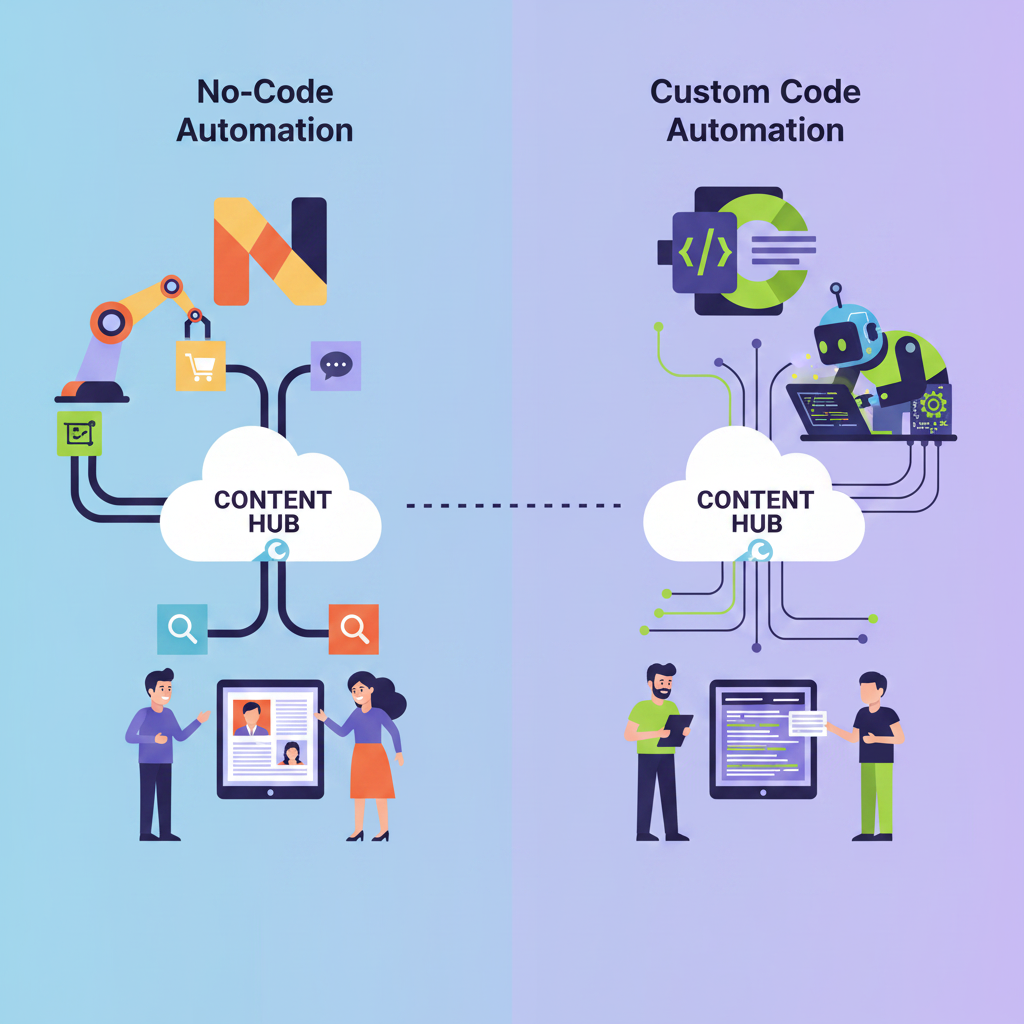
No-Code vs. Custom Code Automation for content teams is the choice between shipping a content pipeline today with pre-built connectors and engineering a system that preserves voice, enforces quality gates, and holds up at volume. No-code automation, including Zapier, Make, Airtable, and the visual layer of n8n, stitches apps together with drag-and-drop logic and managed triggers so non-engineers can move newsletters, briefs, transcripts, and social posts from input to publish fast. Custom code automation writes bespoke scripts and services to control every branch, retry, prompt, and validation check. Most serious content teams land somewhere in between, using no-code for orchestration and speed and custom code where quality and control matter.
For content production, the useful diagnostic is not can we build it but what breaks when we publish at scale: does the pipeline still sound like you, does it stop bad drafts before they go out, and does it drift after the fiftieth input variation.
Seeing how workflow optimization works for content teams makes the tradeoff clearer. With the core definitions set, the real question is which criteria actually matter when the workload is content, not generic business process automation.
No-Code vs. Custom Code Automation for content teams is decided on seven content-specific criteria, not just build time, with no-code winning on speed to first draft and custom code winning on voice preservation, quality gating, and drift control.
Generic dev comparisons miss what content ops actually feels like: whether the newsletter still sounds like you after 100 issues, whether bad drafts get blocked before publish, whether performance degrades over time. Evaluate automation on outcomes your audience sees, not just how fast you wired the flow. Treat prompt versioning, style enforcement, and failure handling as first-class criteria alongside cost.
| Criterion | No-Code Automation | Custom Code Automation |
|---|---|---|
| Build Speed | Days via visual connectors; no engineering hire needed | Weeks; requires engineers for APIs, prompts, storage |
| Cost Model | Subscription model; costs escalate unpredictably at volume | Higher upfront cost; lower marginal cost at scale |
| Voice / Tone Preservation | Prompt field only; style guides pasted manually | Embedded voice datasets, dynamic few-shot, versioned prompts |
| Quality Gating and Thresholds | Basic filters; no native scoring or rejection loops | LLM-as-judge, readability checks, factuality filters with human-in-the-loop |
| Drift Monitoring Over Time | No built-in drift detection; manual spot checks | Logs outputs, tracks embedding drift, alerts on quality drop |
| Integration Depth with AI Models | Pre-built connectors, fewer customization options | LangChain nodes, direct API, tool use, custom routing |
| Scalability Ceiling for Volume | Task limits and rate throttles at high volume | Scales with infra; handles bursty publishing, large contexts |
No-code platforms like Zapier, Make, and Airtable get you to a working content flow fast because they abstract auth, triggers, and field mapping. The tradeoff is control. Zapier offers integrations designed for simplicity but with fewer customization options, while n8n offers the most comprehensive integration through its LangChain nodes and goes significantly further with custom code, self-hosting, and AI agent capabilities.
Two rows matter most for published content. Voice preservation in pure no-code usually means pasting a style guide into a prompt field, which is why teams often add a prompt governance playbook to version it. Quality gating in no-code is limited to filters; in custom code you can enforce LLM-as-judge scoring, readability thresholds, and human-in-the-loop checks with auto-reject loops before anything ships.
Speed and flexibility look good on a table, but the real test is what happens when a content pipeline runs at scale for months.
Pure no-code automation breaks for content teams when weekly output moves past prototype levels (once you are shipping dozens of newsletters, briefs, or social posts) because brittle chains, unchecked AI output, and task-based metering create silent failures.
1. Brittle multi-step chains. Zapier and Make make it easy to chain transcript → summary → rewrite → post, but each chain is a line of dominoes. Rate limits on an OpenAI or transcription API trigger retries that burn extra credits, polling triggers fire even with no new data, and error handling defaults to pausing the Zap instead of routing for fix. You discover the break when a newsletter does not ship, not when the error happens. Diagnostic rule: if a single API hiccup can skip a publish, you have a prototype, not a pipeline.
2. No built-in quality gating or drift detection. Pure no-code ships what the model returns. There is no native step to reject off-voice, generic, or fact-light drafts, and no log of how prompts perform over weeks. Without prompt governance and output thresholds, voice drift accumulates unnoticed; three LinkedIn posts that sound like everyone else become thirty.
3. Per-task pricing that punishes content volume. Zapier's free tier caps monthly task volume, and paid plans move to higher task allowances, pricing and exact limits vary and are worth checking directly, and each action in a multi-step Zap counts against that total, not just the trigger. Make's free tier caps monthly operations, with paid tiers offering a higher shared operations base (again, check current published limits) but polling checks and retry loops inflate that count fast. High-volume transcript and newsletter workloads blow through these buckets and switch to overage billing.
Use this quick audit to test if you are past the no-code sweet spot:
| Field / Step | What to enter | Example |
|---|---|---|
| Workflow name | Content workflow you run | {weekly-brief} |
| Weekly volume | Items produced per week | {120 transcripts} |
| Chain length | Number of steps/modules | {7 steps Zap} |
| Silent failure seen | Error type + frequency last month | {OpenAI 429s missed 3 newsletter sends} |
| Quality gate present? | Yes/No + mechanism | {No - AI draft posts direct to Slack} |
| Drift signal | Example off-voice outputs | {3 posts used generic AI phrasing / buzzwords} |
| Cost at volume | Tasks/ops used + overage | {~4,200 tasks / pay-per-task kicking in} |
| Still prototype-fit? | Is volume <50 items/week + low quality bar? | {No - needs gating} |
No-code is a fine prototype, a liability once content volume and quality bar rise. That's the point at which teams need gating, not just more Zaps.
No-code stays right for genuinely simple, low-volume, internal workflows. Once publishing is daily, off-voice output has a cost, and silent failures have an audience, you have crossed the boundary. None of this means custom code alone is the answer either, most teams that get this right land somewhere in the middle.
The hybrid automation model pairs n8n as the visual orchestration layer with embedded Code nodes that run JavaScript or Python, while custom code handles precision controls like quality gating, drift detection, and voice-matching for newsletter, brief, and social workflows. It keeps the pipeline auditable for ops, but stops generic AI output from shipping without checks.
End-to-end content pipelines engineered in n8n and real code—turning scattered inputs into published, high-quality content without the slop.
n8n handles the plumbing you want to see: triggers from Airtable, Gmail, YouTube transcripts, or webhooks; routing with IF, Switch, and Wait; and standard pushes to Slack, Notion, Ghost, or your CMS. Anyone on the team can trace a run without digging through a repo.
The precision lives in the code. n8n lets you run your own JavaScript or Python inside a workflow, so data transformation and decision logic sit in the same canvas. That is where content teams add what pure no-code cannot do natively: a function that scores a draft against a voice vector and blocks publication below threshold; a gate that sends low-confidence summaries to human review; a drift detector that compares embedding distributions week over week; and parsers that convert a raw transcript to a structured brief, then a brief to newsletter modules. For example, transcript-to-brief cleaners that strip filler, extract claims with timestamps, and validate sources before the LLM summary step.
On closed platforms like Zapier or Make, those checks usually require an external webhook, a custom app, or a separate function service. You get a visual builder, but the moment you need stateful logic or model-based checks, you are maintaining glue code elsewhere with limited observability.
Hesham.us Automated Content Pipelines uses this hybrid pattern as one working example among others: n8n orchestrates intake and publishing, custom nodes enforce thresholds and voice checks, and an aftercare period covers tuning as models and formats shift. A practical illustration is this AI social content engine case study that shows routing plus coded quality controls in production.
That architecture pattern is only useful if you know when your own workflow has crossed the line into needing it.
No-Code vs. Custom Code Automation for content teams is not a binary choice. Pure no-code fits low-volume prototypes that can tolerate manual fixes, custom code fits highly specialized or sensitive workloads, and hybrid n8n plus code is the right lane for teams publishing at volume across newsletters, briefs, transcripts and social who need voice consistency and quality thresholds to hold.
Run this diagnosis on your current setup:
Map it simply: low volume plus low quality enforcement equals pure no-code. High specialization equals custom code. High volume plus need for reliability without a full engineering team equals hybrid.
If you're manually fixing the same automation weekly or your AI output keeps drifting off-brand, that's the signal to move from pure no-code to a hybrid build, not to add more Zaps.
Watch for the migration signals: recurring manual fixes on the same step, frequent off-voice output, missed deadlines because a Zap failed silently, or thresholds you can describe but cannot enforce. When those show up twice in a month, stop adding connectors.
That is where a hybrid build earns its keep. Hesham.us Automated Content Pipelines is built for that jump, with migration support from Zapier/Make into n8n, plus drift detection and aftercare to keep quality controls intact as volume climbs. Review recent automation breakdowns to see how teams made the move without losing their voice or adding headcount.
You have outgrown pure no-code when publishing is daily across channels, the same Zap fails silently weekly, and off-voice drafts ship without a block. If you already chain multiple Zaps to patch gaps and spend hours fixing outputs, you are past prototype fit and need gating and observability, not more connectors.
Yes, if you keep orchestration visual. Non-technical owners can monitor runs, edit copy, and trigger approvals in n8n, while one technical owner maintains Code nodes that run your own JavaScript or Python inside a workflow for scoring and parsing. That split keeps daily ops accessible while coded checks stay versioned.
A practical gate scores drafts before publish, for example with an LLM-as-judge for voice, readability, and factuality, and routes below-threshold drafts to human review with an auto-reject loop. Teams keep logs of scores and reasons so they can tune prompts instead of manually rewriting similar issues.
Polling triggers that fire with no new data and retry loops on rate limits inflate usage because each step counts, and task and operation costs escalate unpredictably at volume. A Make scenario that hits a rate limit and retries four times can burn five times the credits, so replace polling with webhooks and add backoff handling inside coded logic.
Keep intake, routing, and publishing as no-code: triggers from Airtable, Gmail or YouTube transcripts, IF and Switch steps, and pushes to Slack, Notion or Ghost. Move voice matching, claim extraction with timestamps, factuality filters, and embedding drift checks into code because they need versioned prompts, datasets, and custom routing.
No, self-hosting is optional. n8n can replicate most Zapier workflows in its cloud and goes significantly further with custom code, self-hosting, and AI agent capabilities, while self-hosting just adds control over data, logs, and scaling for teams that need it.
Zapier Code steps are suitable for simple data formatting or isolated API calls, but not for building the scalable and maintainable automations that need stateful checks. n8n Code nodes let you write custom JavaScript or Python and run it as a step in your workflow, so you can score voice, block off-brand drafts, and log results in the same canvas.
Log outputs weekly, compare recent drafts to your voice dataset with embedding similarity, and alert when similarity or judge scores drop. Even a lightweight table of run IDs, scores, and flag reasons inside n8n gives you early drift signals without a separate data science stack.
End-to-end content pipelines engineered in n8n and real code—turning scattered inputs into published, high-quality content without the slop.
Learn moreCompany bio