
End-to-end, engineered content pipelines—driven by n8n, custom code, and real content expertise—automate your journey from raw ideas to published, optimized articles, with quality controls and aftercare built in.
Schedule a call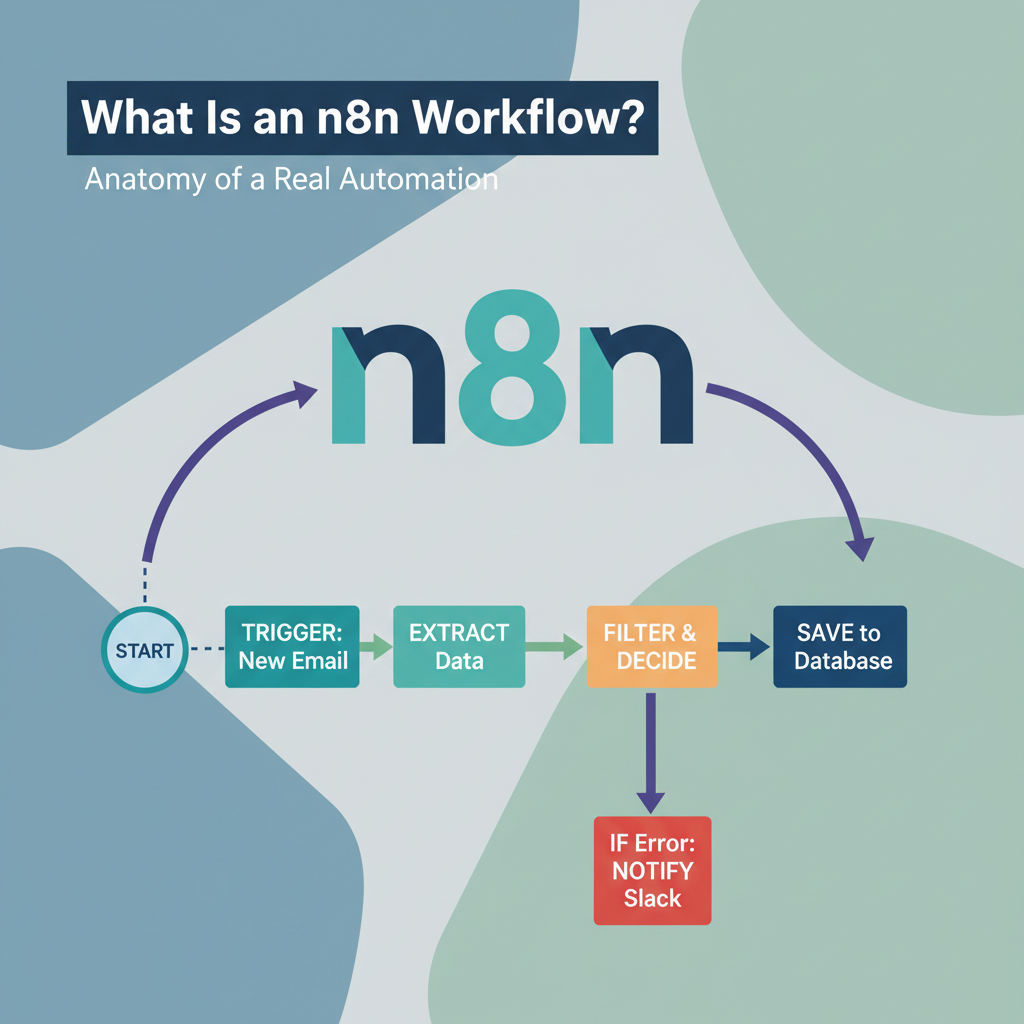
An n8n workflow is a node-based, visual automation sequence that connects apps, data, and logic into a single executable pipeline. It starts with a trigger, then passes structured data items through a chain of nodes linked by connections that define execution order. By n8n's own definition, a workflow is a collection of nodes connected together to automate a process.
That breaks down to four primitives:
Trigger — the first node that initiates a run, such as a webhook receiving data, a cron schedule, or an app event.
Node — an integration or operation that does one job: call an API, transform data, run AI, or write to a store. n8n documents these as integrations and operations.
Data item — the JSON payload each node outputs and the next node receives. n8n moves data as discrete items, so every step can map, filter, or reshape fields.
Connection — the line between nodes that sets order and data flow, documented as node connectors.
That plain definition covers the basics, but the real anatomy of a workflow is what determines whether it holds up under real use.
Here's how each piece of the workflow actually functions and connects.
Every workflow begins with exactly one trigger. The trigger type defines when it runs:
Nodes are the building blocks after the trigger:
Between nodes, n8n passes data as an array of items. Each item is structured JSON, typically under json plus optional binary. A node receives items, processes them, and outputs new items for the next node.
Connections drawn on the canvas set execution order. A single output can feed one node for linear flow, multiple nodes for parallel branches, or loop back via logic nodes for branching and merging.
Micro-example to tie it together: a Typeform Webhook trigger fires, an IF node checks if company_size exists, the true path goes to a Slack action node posting to #leads, and the false path ends. Same trigger, nodes, data items, and conditional connection.
| Component | What It Does | Example |
|---|---|---|
| Trigger | Decides when workflow starts; only one per workflow | Webhook trigger that fires on new Typeform submission |
| Action Node | Executes an operation in a connected app or API | Slack node posting message to #leads |
| Logic Node | Routes items by condition or merges branches | IF node checking if company_size exists; Switch branching by tier; Merge recombining |
| Code Node | Runs custom JavaScript or Python to transform data | Code node normalizing email, mapping fields to JSON |
| Data Item | Unit of structured JSON passed between nodes | {"json": {"email": "a@co.com", "company_size": "50-100"}} |
| Connection | Defines execution order and branching/merging | Webhook → IF → (true) Slack / (false) end → Merge |
Those mechanics look simple in a demo. Here's what the same anatomy looks like inside a real content workflow.
Take a founder who records a 30-minute strategy call. The raw transcript lands in a watched Drive folder. That single file is the only input for the entire run.
1. Entry. A Google Drive Trigger fires on the new file, or a Webhook Trigger fires if your recorder posts via API. Either way n8n starts the execution and passes the file URL forward.
2. Prep. A Code node strips timestamps, speaker labels, and filler, and outputs one normalized text field. The draft that follows sees clean paragraphs, not a raw dump.
3. Draft. The OpenAI node takes that field, applies an editorial system prompt, and returns structured content: headline, summary, sections, and pull-quotes. In n8n's app directory this surfaces as generating a model response.
4. Format. A Markdown or HTML node wraps the model output in your house template, adds frontmatter, slug, and internal-link slots. The result already matches your CMS content model.
5. Human checkpoint. A Slack or Gmail node posts the formatted draft with Approve / Edit buttons and the workflow pauses on a Wait node. Nothing publishes until someone clicks.
6. Publish. On approval, the WordPress node runs its Create operation to push the article as draft or scheduled. Teams on a headless stack swap this for an HTTP Request node that POSTs the same payload to their publishing API.
One file in, one CMS-ready article out, with each transformation visible in the execution log. That's a happy-path version that works fine as a demo. The real test is what happens when something in the chain breaks.
The transcript-to-article example works until real-world data and volume expose its weak points.

In a single test with clean inputs, every node finds what it expects. In production, it doesn't. These are the five failure patterns that surface first, with clear symptoms and root causes:
1. Data shape drift. Symptom: a downstream node throws "path not found" or passes empty fields into your doc. Root cause: real inputs vary. A transcript field is missing, an array comes back empty, an API renames a key. The workflow was built assuming one exact JSON shape.
2. Silent API failures. Symptom: executions stop halfway with no alert, or half-written records appear in your CMS. Root cause: no handling for 429s, 500s, auth expiry, or network drops. n8n does let you configure error workflows to catch failures per workflow, but many first builds leave that setting blank, so failures go unnoticed.
3. Ungated AI output. Symptom: titles that are too long, summaries that invent facts, markdown that breaks formatting. Root cause: LLM nodes produce variable tone, length, and structure, and nothing checks the result before the next step uses it.
4. Hardcoded assumptions. Symptom: it works for one client, language, or template, then breaks on the next. Root cause: file paths, model names, word-count targets, or account IDs pasted directly into nodes instead of pulled from inputs or config.
5. Volume collapse. Symptom: runs that passed for 3 items time out for 50, queue up, or trigger rate limits. Root cause: sequential processing, memory-heavy binaries kept in execution data, and no batching strategy for larger batches.
A workflow that runs once in a demo isn't the same as a workflow that runs reliably at volume. The gap is almost always missing error handling and quality gating, not the tool itself.
Fixing these failure points is exactly where plain node-chaining stops being enough.
Once you've spotted where your workflow is likely to fail, the real question is who should be the one fixing it.
End-to-end, engineered content pipelines—driven by n8n, custom code, and real content expertise—automate your journey from raw ideas to published, optimized articles, with quality controls and aftercare built in.
For low-volume, single-purpose cases, like a Slack notification when a form submits, syncing new rows from Sheets to your CRM, or auto-tagging an inbox, DIY fits. n8n's visual editor gives you drag-drop logic without glue code, and the library of 10930 community templates is a real head start. You own the maintenance, and when it breaks the blast radius is one channel.
Content operations rarely stay there. Once you are feeding multiple models, normalizing messy inputs like calls, PDFs and transcripts, enforcing house style, and pushing SEO fields, images and formatting to Ghost, WordPress, newsletters and social in one pass, plain node chaining hits a ceiling. Variability explodes, quiet failures compound, and you need what basic builders lack: thresholds, adjudication, gating, custom API workers, and someone who sticks around to patch drift.
That is the line where engineered pipelines make sense. Hesham.us Automated Content Pipelines builds exactly this layer, using n8n for orchestration plus custom code for the exceptions, quality controls to block bad output, and 12-month aftercare baked in, as one option for teams past the DIY ceiling rather than a requirement for everyone.
Judge your side of the line with three filters. First, volume: how many items per week would need hand fixes if the flow hiccups. Second, input variety: one clean shape or many unpredictable ones. Third, cost of a miss: what happens if a flawed draft slips to publish. If the answers are low, one, and we shrug, keep building yourself. If any answer is dozens, many, or brand damage, bring in workflow engineering.
No, each workflow is designed to start with exactly one trigger. If you need multiple entry points, create separate workflows for each trigger or have them call a shared sub-workflow.
Set an error workflow in Workflow Settings so it runs if an execution fails, and add If or Code checks after external calls. That way 429s, auth expiry, or empty payloads get routed to alerts instead of publishing half-written data.
n8n passes an array of JSON items, each typically under a json key, from one node to the next. The connections on the canvas define order, and a Code node can reshape fields when the shape drifts.
Use the Code node when you need logic the built-in nodes do not cover. It lets you run your own JavaScript or Python inside a workflow to normalize emails, strip transcript timestamps, or validate AI output.
IF splits into true and false paths for a single condition, Switch branches into many outputs based on value, and Merge recombines branches. You combine them to handle conditional gating and to rejoin parallel flows before publishing.
Avoid keeping large binaries in execution data and process in batches with a loop plus a Wait node between calls. This prevents memory bloat and spreads API requests so you do not trigger 429 errors across the run.
Use the WordPress node Create a post operation if your site runs on WordPress, it handles auth and fields for you. Use the HTTP Request node if you publish to a headless CMS or custom API, since it can query data from any app or service with a REST API.
Yes, add a Slack or email node with approve buttons followed by a Wait node. The execution stays paused until someone responds, so flawed drafts from un-gated AI output never go live automatically.
End-to-end, engineered content pipelines—driven by n8n, custom code, and real content expertise—automate your journey from raw ideas to published, optimized articles, with quality controls and aftercare built in.
Schedule a call